

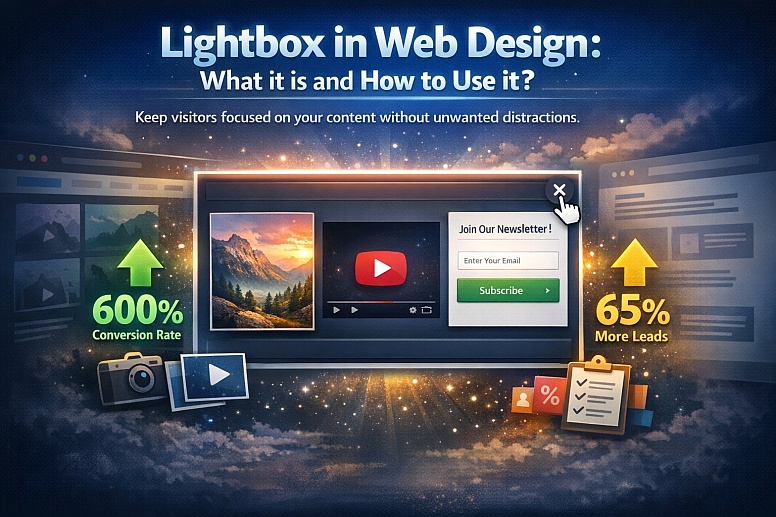
Lightbox in Web Design: What It Is and How to Use It
Have you ever clicked on an image on a website, only to be taken to a different page, disrupting your browsing experience? This frustrating interruption is a common problem, but there is a design solution that keeps users engaged without the need for unnecessary navigation.
The lightbox is a subtle hero of modern web design. It allows you to present content in a focused, elegant way without forcing visitors to leave the page they are on. But what exactly is a lightbox, and how can you harness its power effectively?
Imagine a modal window that glides smoothly over your webpage, showcasing an image, video, or form in pristine isolation while softly dimming the background content. That is the essence of a lightbox. It gently directs the user's attention to the featured material, creating a moment of focused interaction without the jarring experience of a traditional page reload or new window.
Unlike older, more intrusive pop-ups, lightboxes are designed with user experience in mind. They typically close when a user clicks outside the window or presses the "Esc" key, giving them control over their journey. In this article, we will explore the world of lightboxes, examining their core types, benefits, and best practices for implementation.
Let's dive into how this versatile design feature can boost conversions, enhance user engagement, and add a layer of sophistication to your website.
What is a Lightbox?
A website lightbox, often called a lightbox popup, is a user interface (UI) element that appears in the foreground of a webpage. Its primary purpose is to highlight specific content, such as a message, image, or form, by dimming and deactivating the background, ensuring the user's full attention is on the modal window.
Lightboxes are highly versatile and can display a variety of content types, including high-resolution images, embedded videos, interactive forms, or important announcements. They are a staple in modern web design, not just for their visual appeal, but for their proven ability to boost user engagement.
The effectiveness of a well-implemented lightbox is backed by data. Consider these statistics that highlight their impact:
- Users of popular marketing tools like OptinMonster have reported that strategically placed lightbox popups have improved their conversion rates by as much as 600%.
- Research by OptiMonk demonstrated how the cybersecurity company BitNinja was able to boost its leads by 65% after implementing a lightbox on its site.
So, what exactly appears inside a lightbox? It is a modal window triggered by a user action, such as clicking a button, thumbnail, or link. The content within can vary widely, but the most common and effective uses include:
- High-quality images: Perfect for showcasing product shots, portfolio pieces, or detailed infographics in a larger, unobstructed view.
- Engaging videos: An excellent way to present product demos, brand stories, or explainer animations without navigating away from the page.
- Interactive forms: Used for focused calls-to-action, such as collecting email addresses for newsletters, gathering feedback, or presenting targeted offers.
The lightbox remains an essential tool in a web designer's toolkit because of its unique capacity to captivate visitors, encourage interaction, and deliver a seamless user experience.
How to Use a Lightbox Effectively in Website Design
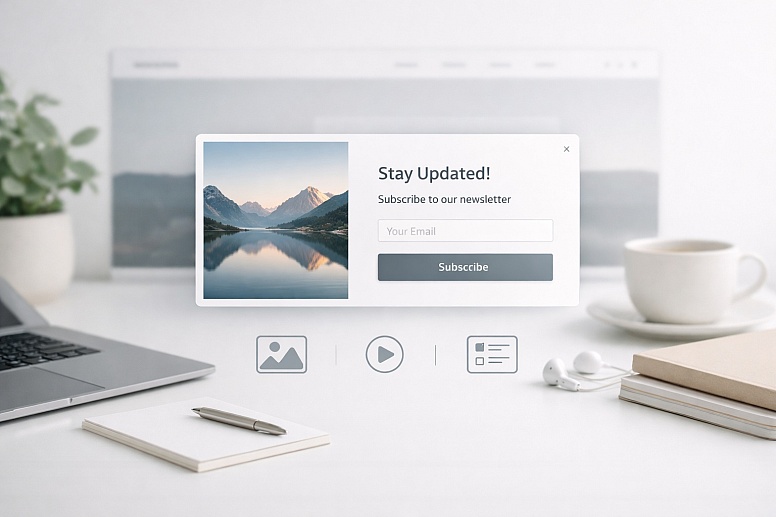
Experienced designers use this user-friendly element to present content without redirecting users from their current page. But how can you ensure you are using it effectively? Follow these best practices for optimal results.
Select Relevant, High-Value Content
The content you choose for a lightbox should be worthy of the spotlight. Ask yourself if the image, video, or information would genuinely benefit from being presented in a larger, more focused format. Ideal candidates include high-resolution product views, detailed portfolio images, or supplementary information that adds depth to the main topic.
Implement Responsively
In today's multi-device world, a lightbox must function flawlessly on every screen size. It is crucial to ensure the lightbox design is fully responsive. This means testing and adapting the layout and functionality across desktops, laptops, tablets, and smartphones to maintain readability and usability for every user.
Provide Clear and Intuitive Navigation
Users should never feel trapped in a lightbox. Include obvious navigation controls within the interface. This typically means a prominent close button, often represented by an "X" in the corner. For lightboxes containing multiple images or slides, provide intuitive arrows or support for swipe gestures, allowing users to move through content effortlessly.
Prioritize Accessibility
An effective lightbox is an accessible one. Ensure all images within the lightbox have descriptive alternative text (alt text) for users who rely on screen readers. Furthermore, implement keyboard navigation so users can open, close, and navigate the lightbox using keyboard shortcuts (like the Tab and Enter keys or the Esc key), which is essential for users with mobility limitations.
Optimize for Performance
A lightbox should enhance the user experience, not hinder it with slow load times or choppy animations. Optimize all media by compressing image file sizes without sacrificing quality and minimizing any unnecessary scripts or animations. A fast, smooth transition is key to a professional and polished feel.
Why is a Lightbox Important in Website Design?
UI designers continue to use lightboxes because they solve several key design challenges:
- Space Efficiency: If you have a lot of content, a lightbox is an excellent way to display additional information, like forms, videos, or detailed captions, without cluttering the main page. It allows users to access "bonus" content on demand.
- Improved User Flow: Lightboxes prevent the user from being bounced to multiple new pages. They serve as a tool for deep engagement, providing quick access to rich content without interrupting the natural browsing flow. The user remains in control and can easily return to where they left off.
- Focused Communication: Lightboxes are invaluable for delivering important messages that require immediate attention, such as time-sensitive offers, cookie consent notices, or critical updates. Because they appear front and center, they command attention without the user needing to search for the information.
With the best-converting popups achieving rates as high as 9.28%, compared to the 3.09% average for all pop-ups, it's clear that when designed and implemented correctly, lightboxes are a powerful tool for boosting conversions while providing significant value to both the user and the website owner.
5 Effective Lightbox Popup Examples
Lightbox popups are a popular tool for drawing users in, boosting conversions, and gathering data. By using targeted triggers and relevant content, businesses can achieve their marketing goals. Here are five common and highly effective types of lightbox popups.
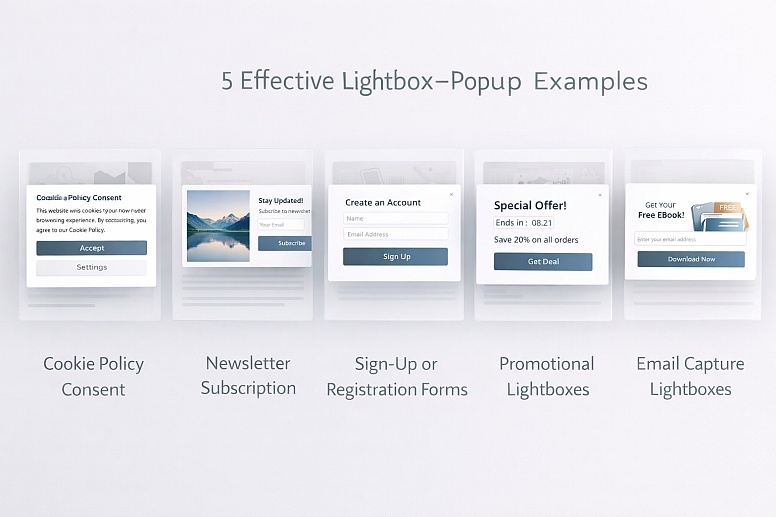
Cookie Policy Consent
These lightboxes appear when a user first visits a site, providing a clear and compliant way to inform visitors about cookie usage and obtain their consent. Their focused design makes this mandatory information straightforward to act upon.
Newsletter Subscription Popups
One of the most common uses of these lightboxes is designed to encourage users to subscribe to a mailing list. By centering the subscription form on the screen and dimming the background, they minimize distractions and drive higher sign-up rates.
Sign-Up or Registration Forms
Lightboxes are ideal for account creation or event registration. They present the form in a clean, consolidated window, streamlining the sign-up process and keeping the user within the context of the page they were on.
Promotional Lightboxes
These popups are used to highlight special deals, limited-time discounts, or exclusive promotions. The dramatic reveal of a lightbox is perfect for creating a sense of urgency and drawing immediate attention to an offer.
Email Capture Lightboxes
Similar to newsletter popups but often with a more specific goal, these lightboxes are designed solely to collect an email address, sometimes in exchange for a lead magnet like a discount code, an ebook, or access to exclusive content.
These examples demonstrate how lightboxes serve as functional features that improve website usability and achieve business goals, from gaining user consent to facilitating registrations and driving sales.
Ultimately, like any powerful tool, a lightbox's success depends on understanding its purpose and using it judiciously. When implemented with a focus on user experience, it elevates a website from simply functional to genuinely engaging.
If you are looking to refine your website's design and effectively integrate features like lightboxes, consider consulting with experienced professionals. WebDesk Solution has over a decade of experience in web design and can help you create a customer-centric website that elevates your online presence.








0.0697