



7 Best Seamless Pattern Checkers for Designers & Creators
Creating a seamless pattern is only half the job. The real test comes when that design is tiled repeatedly across a surface. Even small alignment issues can become obvious once a pattern repeats, whether it’s used for fabric, wallpaper, digital backgrounds, or product packaging.
Seamless pattern checkers make this process easier. Instead of guessing how a tile will repeat, these tools instantly preview your pattern across a grid so you can spot seams, gaps, and scale problems early. Below are some of the best seamless pattern checkers available, starting with a simple and reliable option that works directly in the browser.
Seamless Pattern Checker by DitsyPixel.com
Ditsy Pixel’s Seamless Pattern Checker is a straightforward tool designed for fast visual validation. You upload your pattern tile, and the tool immediately displays it repeated across the screen. There are no complicated settings or distractions, making it ideal when you just want to confirm that your pattern tiles are clean.
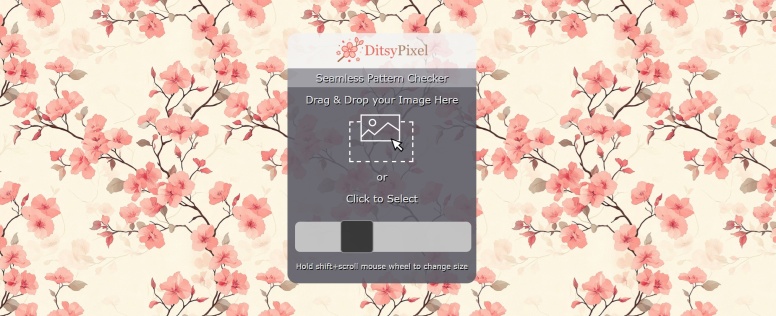
This tool is especially useful during the final stages of a design, when you want a quick check before exporting or publishing your pattern. Its simplicity makes it accessible to beginners while still being valuable for experienced designers who want speed.
Key features
- Drag-and-drop image upload
- Instant tiled preview
- Clean, distraction-free interface
Pricing: Free
Best use case: Quick seam checks and fast pattern validation
If you want a no-friction way to check seamless repeats without signing up or learning new controls, Ditsy Pixel’s checker is one of the easiest tools to use.
PatternChecker.net
PatternChecker.net offers more control over how your pattern is displayed. In addition to previewing repeats, it allows you to adjust horizontal and vertical tiling, which helps reveal alignment issues that may not appear in a basic preview.
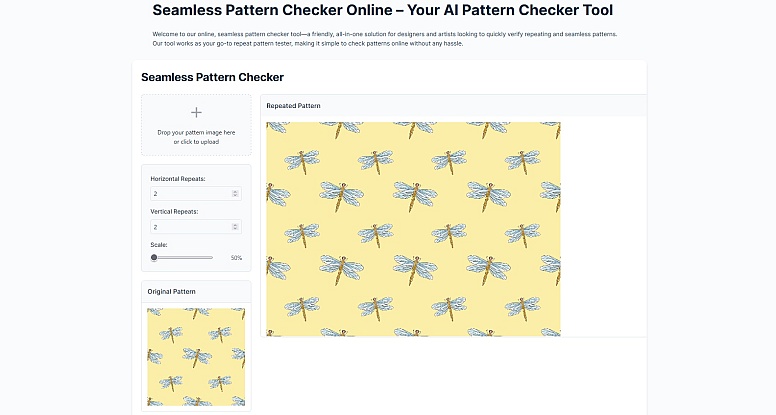
This makes it a good option for designers who want a bit more flexibility while still keeping the process simple. It’s particularly useful when working with directional or geometric patterns.
Key features
- Adjustable repeat grid
- Horizontal and vertical tiling controls
- Simple browser-based interface
Pricing: Free
Best use case: Patterns that require repeat adjustments
PatternChecker.net is a solid middle ground between minimal tools and more complex design software.
Patterned.ai Seamless Checker
Patterned.ai’s seamless checker is built with AI-generated designs in mind. It allows creators to upload patterns and immediately see how they behave when tiled, helping catch inconsistencies that sometimes occur with generated artwork.
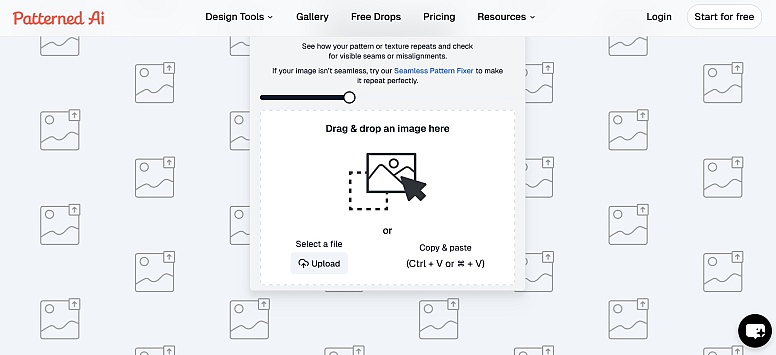
This tool fits best into an AI-assisted workflow and works well alongside Patterned.ai’s other pattern tools. It’s useful for creators who rely on automation but still want manual quality control.
Key features
- Seamless preview for AI-generated patterns
- Fast tiling validation
- Integrated into an AI design ecosystem
Pricing: Free with paid options within the platform
Best use case: Checking AI-generated pattern tiles
If you use AI to generate patterns, this checker helps ensure your designs hold up in real-world repetition.
Seamless Texture Checker (PyCheung)
The Seamless Texture Checker by PyCheung is a long-standing, lightweight tool focused on texture testing. One of its standout features is the ability to change background colors, which is useful when working with transparency or subtle edges.
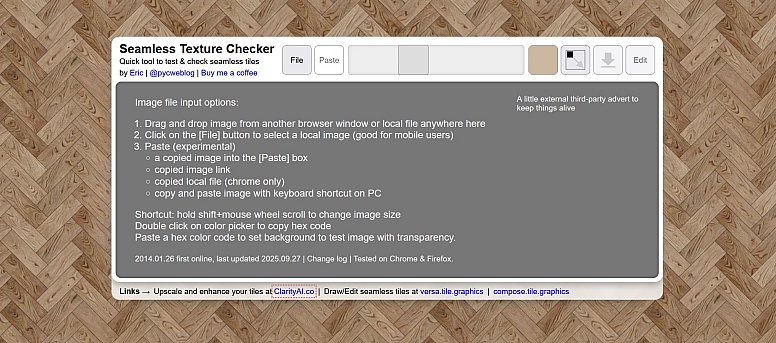
While the interface is basic, it does exactly what it needs to do without unnecessary extras. It’s often used by developers and designers working with textures for games or web projects.
Key features
- Drag-and-drop upload
- Background color control
- Fast texture tiling preview
Pricing: Free
Best use case: Subtle textures and transparent patterns
This tool is ideal when precision matters more than appearance, especially for texture-heavy projects.
BardotBrush Repeating Pattern Tester
BardotBrush’s repeating pattern tester is popular with digital artists, particularly those using Procreate. The tool focuses on quick previews rather than advanced controls, making it easy to drop in a pattern and immediately see how it repeats.
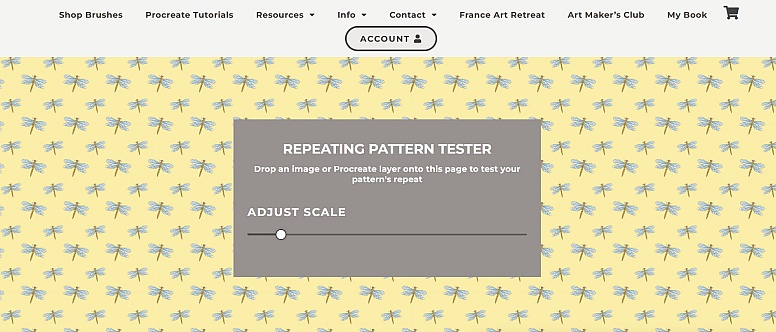
It’s a practical option for illustrators who want to check patterns without exporting them into heavier design software.
Key features
- Simple repeat preview
- Artist-friendly workflow
- No unnecessary controls
Pricing: Free
Best use case: Procreate and illustration-based workflows
If you’re an illustrator refining patterns for digital products, this tool keeps the process fast and simple.
ArtByRicarda Seamless Pattern Tester
ArtByRicarda’s pattern tester is designed with surface designers in mind. It previews patterns tiled across a large canvas, making it easier to judge scale, spacing, and overall flow.
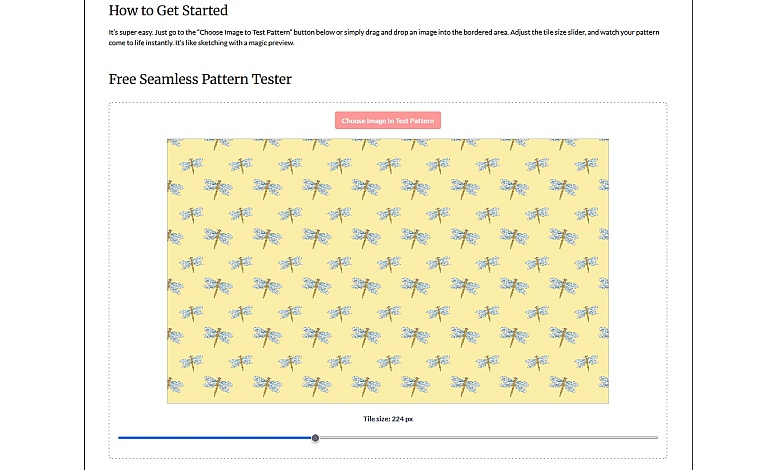
This is especially useful for patterns intended for fabric, wallpaper, or home decor, where how a design looks across a large surface matters as much as the seam itself.
Key features
- Large-scale tiled preview
- Surface design-focused layout
- Easy visual inspection
Pricing: Free
Best use case: Fabric, wallpaper, and surface design
This tester helps designers think beyond the tile and focus on how the pattern feels at scale.
IMGonline Texture Tiling Checker
IMGonline’s texture tiling checker combines previewing with basic tile generation options. In addition to seeing how a texture repeats, users can make simple adjustments to help create a seamless tile.
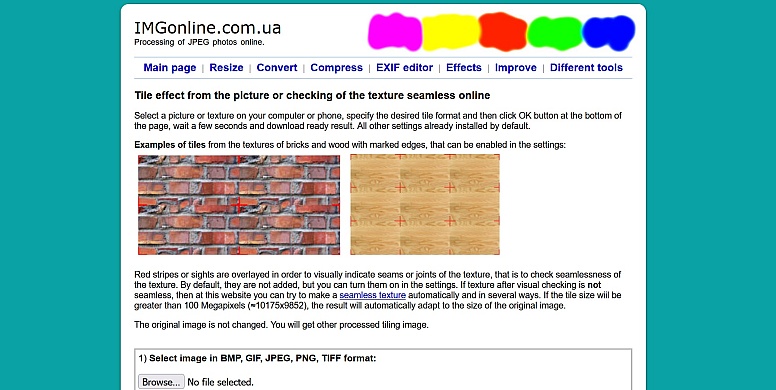
While the interface is dated, the functionality makes it useful for users who want both checking and light editing in one place.
Key features
- Tiling preview
- Basic seamless tile generation
- Multiple image tools in one platform
Pricing: Free
Best use case: Checking and fixing simple texture seams
IMGonline is best suited for practical users who care more about functionality than modern design.
Why Seamless Pattern Checkers Matter
No matter how carefully a pattern is designed, seams can still appear when it’s repeated. Seamless pattern checkers allow you to catch these issues early, saving time and preventing mistakes before your design goes live.
Whether you’re creating digital assets, print designs, or physical products, using a pattern checker is a simple step that can make a noticeable difference in quality.
LEAVE A COMMENT







0.2794