


Software as a Service: How It Works & When to Use It
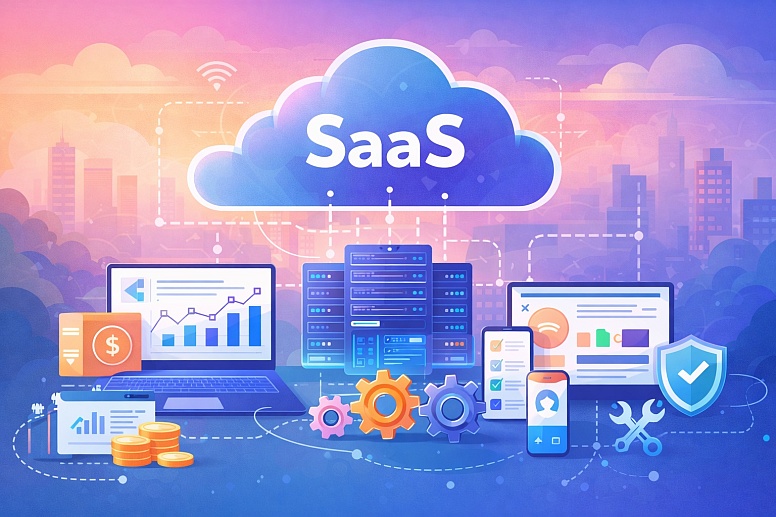
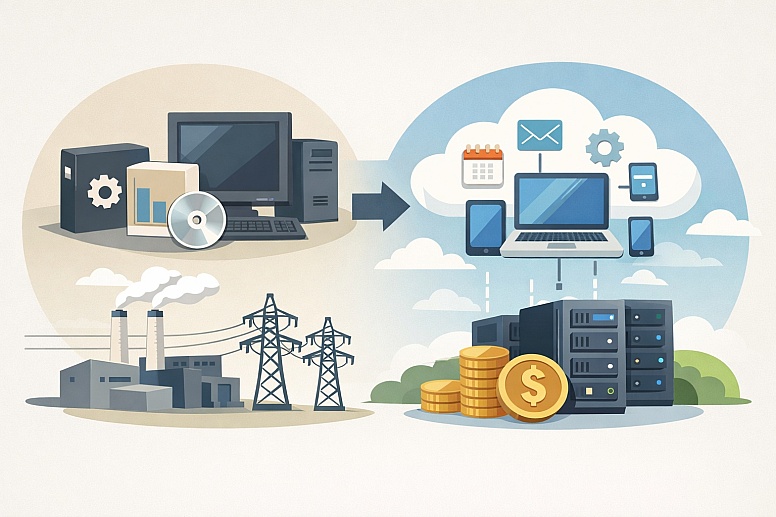
Software used to be something you bought in a box and installed on your computer. Today, most of the software used by people and companies runs on the internet. You access it through a web browser or an app. This method of providing software is known as Software as a Service (SaaS).
Think of it like electricity. You don’t own a power plant. You just pay the electric company for the power you use each month. SaaS works the same way. Instead of buying a software license and installing it on your machines, you pay a subscription fee to use the software over the internet. The company that makes the software runs it on its own servers, handles all the maintenance, and sends you updates automatically.
This shift changes how organizations work. It makes powerful tools available to small businesses and individuals without high upfront costs. It also changes how software is built and sold. For the user, the main benefits are simplicity and access. You don’t need a big IT department to manage it. You just need an internet connection.
What SaaS Means for You
- You use software over the internet, like Gmail or Google Docs. You don’t install it from a disc.
- You pay a regular subscription, usually monthly or yearly. There’s no large, one-time purchase price.
- The provider handles everything technical. They manage the servers, security, and software updates.
- You can access it from anywhere on almost any device—a laptop, phone, or tablet.
- Your data is stored securely in the cloud on the provider’s systems, not just on your local computer.
How SaaS is Built and Delivered
To understand why SaaS is different, it helps to know how it’s put together. Traditional software is a single, monolithic product. SaaS is built on a multi-tenant architecture. This is a key technical term, but the idea is simple.
Imagine a large apartment building. Many different families (tenants) live in their own separate apartments within the same building. They all share the same foundation, plumbing system, and roof. The landlord maintains the shared structure, while specialized software can help contractors estimate commercial plumbing jobs. Each tenant decorates their own apartment and lives privately.
A SaaS application is like that apartment building. All its customers—the tenants—use the same core application and infrastructure. Their data is kept separate and private, just like apartment walls. But they all get the same updates and improvements from the provider, the landlord.
This is especially powerful when you're building an MVP AI solution. Instead of creating custom AI systems for every single client, you develop one strong core model and continuously improve it based on real user feedback.
This is efficient. The provider maintains one excellent version of the software for everyone, instead of thousands of slightly different versions installed on individual computers.
This architecture leads to three main characteristics:
- Central Management and Updates: The SaaS company can update the software for all customers at once, often with no action required from the user. New features and security fixes appear automatically.
- Accessibility and Scalability: Because it’s delivered over the web, you can scale your use up or down easily. Need ten more user accounts next month? You can usually add them with a few clicks in your account settings, without ordering new software licenses.
- The API Economy: SaaS applications rarely live in isolation. They are designed to connect to other software through Application Programming Interfaces (APIs). An API is like a secure plug and socket. It lets your accounting SaaS (like QuickBooks Online) connect to your e-commerce SaaS (like Shopify) to share data automatically. This ability to connect different services is a major advantage of the SaaS model.
The provider’s job is to ensure the service is always available, fast, and secure. This is measured by Service Level Agreements (SLAs). An SLA is a promise. It might say the service will be available 99.9% of the time. If it drops below that, the provider may give you a credit. When evaluating a SaaS, the specific promises in its SLA are important, especially for critical business functions.
Common Uses for SaaS
SaaS isn’t for one single task. It’s a way of delivering almost any kind of software. Here are five distinct areas where it is commonly used.
1. Business Productivity and Communication
This is the most common entry point for SaaS. It covers tools for everyday work.
- Constraints: These tools rely heavily on internet quality. A poor connection means slow performance. Company data is stored with a third party, so you must trust their security and privacy policies.
- Common Mistakes: The biggest mistake is not managing user accounts properly. When an employee leaves, failing to remove their access is a security risk. Another error is letting teams buy different tools without coordination, leading to confusion and wasted money.
- Practical Selection Advice: Choose tools that work well together. Microsoft 365 and Google Workspace are popular because they bundle email, documents, and storage. For communication, consider Slack or Microsoft Teams. Look for single sign-on (SSO) support. This lets employees use one login for many apps, which is more secure and easier to manage.
2. Customer Relationship Management (CRM)
CRM software helps businesses track every interaction with current and potential customers. Salesforce is the most famous example of a SaaS CRM.
- Constraints: A CRM is only as good as the data in it. It requires discipline from the sales and support teams to log their calls, emails, and meetings. Without consistent use, it becomes an expensive, empty database.
- Common Mistakes: Buying a CRM that is too complex for your needs is a major error. A small team might drown in the features of a large enterprise system. Customizing it too much at the start can also create a tangled system that’s hard to change later.
- Practical Selection Advice: Start with the simplest system that meets your core needs. Focus on clean data entry. Make sure it integrates with your email and phone systems to automatically capture interactions. Many CRMs, like HubSpot, offer strong free tiers for small teams.
Many companies also choose to connect Google Analytics to HubSpot to better understand how website visitors turn into leads and customers inside the CRM.
3. Financial Management and Accounting
Tools like QuickBooks Online, Xero, and FreshBooks handle invoicing, expenses, payroll, and tax preparation.
- Constraints: Financial data is highly sensitive. You must vet the provider’s security certifications. These systems also have rules based on accounting standards and local tax laws, so they can be less flexible than other SaaS types.
- Common Mistakes: Giving everyone "admin" access is risky. Permission levels should be strict. Another mistake is not connecting the accounting software to your bank accounts and payment systems, forcing manual data entry, which leads to errors.
- Practical Selection Advice: Choose a system that is popular with accountants and bookkeepers in your country. This makes it easier to get professional help. Check its integrations. Can it connect to your point-of-sale system or e-commerce platform? Automation of data flow saves enormous time and reduces mistakes.
4. Specialized Creative and Design Tools
Software like Adobe Creative Cloud (Photoshop, Illustrator), Figma, and Canva is now delivered as SaaS.
- Constraints: These are often resource-intensive applications. While the software runs in the cloud, your local computer still needs good processing power and graphics capability for a smooth experience, especially with video or complex design files.
- Common Mistakes: Paying for expensive professional suites (like full Adobe CC) when a simpler tool (like Canva) would do. Not managing license sharing properly on team plans can also be a problem.
- Practical Selection Advice: Many design tools offer free trials. Use them to see if the tool’s workflow fits your needs. For collaboration, a tool like Figma is built for real-time teamwork on designs. For occasional social media graphics, a simpler, cheaper tool is often sufficient.
5. Industry-Specific Operations
There are SaaS products for nearly every profession: legal practice management (Clio), medical records (athenahealth), restaurant point-of-sale (Toast), construction project management (Procore), and general project management tools like Lark for teams that need broader collaboration features.
- Constraints: These are deeply integrated into a specific workflow. Switching costs are very high because you’re changing a core operational process, not just an app. They can also be more expensive than general-purpose tools.
- Common Mistakes: Choosing a system because it has the most features, not because it matches your specific workflow. Not involving the end-users (like nurses, lawyers, or chefs) in the selection process is a recipe for poor adoption.
- Practical Selection Advice: Talk to peers in your industry about what they use and why. Prioritize software that is the standard for your field, as it will have better support, integrations, and a pool of trained users you can hire. Attend a live demo using your real data or processes to see how it feels.
SaaS Compared to Other Software Models
SaaS is one of several ways to get software. The two main alternatives are On-Premises software and Infrastructure as a Service (IaaS). It’s useful to compare them.
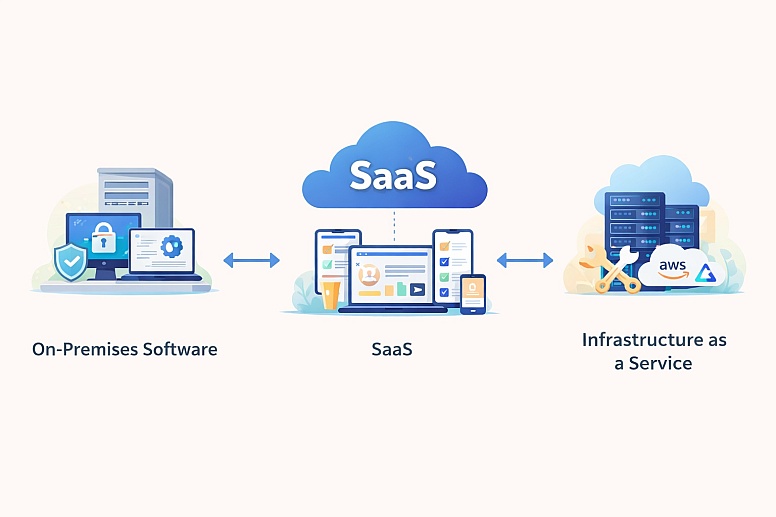
On-Premises Software: This is the traditional model. You buy a perpetual license, install the software on your own company servers, and manage everything yourself. You control the data and security completely, but you also handle all the costs and work of updates, backups, and hardware failures.
-
- Best for: Organizations with extremely high security requirements (like some government agencies), those with unreliable internet, or those using very old, customized software that cannot be moved to the cloud.
Infrastructure as a Service (IaaS): This is a middle ground. With IaaS, you rent raw computing power, storage, and networks from a provider like Amazon Web Services (AWS) or Microsoft Azure. You then install and manage your own software on their infrastructure. You don’t maintain physical servers, but you are responsible for the operating systems and applications you install on them.
-
- Best for: Tech companies with large IT teams who need maximum flexibility and control over their software environment, or who are building their own unique applications.
SaaS sits in the middle. You give up the most control but gain the most simplicity. The provider manages the infrastructure, the platform, and the application. You are only responsible for configuring the app and managing your users. For most businesses seeking efficiency, SaaS is the default choice.
Important Details Experienced Users Know
Beginners focus on features and price. Experienced practitioners look deeper.
Data Portability and Exit Strategies: You must know how to get your data out of the SaaS. Before you sign up, ask: Can I export all my data in a standard, usable format (like CSV or JSON)? How often? Is there an API for continuous data export? A good SaaS makes it easy to leave. A bad one locks your data in. Your data is your asset; the SaaS is just the tool managing it.
The True Cost of Configuration: The subscription fee is just the start. The real cost is the time spent configuring the system, training your team, and adapting your workflow to it. A cheaper tool that requires 100 hours of setup is more expensive than a pricier one that works well out of the box.
Security is a Shared Responsibility: The provider secures the application and the platform. You are responsible for securing your account. This means using strong, unique passwords, enabling two-factor authentication (2FA) for all users, and correctly managing which employees have access to which data. For teams managing accounts across multiple SaaS platforms, a password manager can make it easier to maintain unique credentials and manage shared access without relying on reused or manually shared passwords.
Most SaaS breaches happen because of weak user security, not because the provider’s platform was hacked.
Vendor Health Matters: You are entrusting a critical part of your business to another company. Do some basic research. Is the company growing? Is it profitable? Are there many complaints about its support? A small startup might have a great product, but it could go out of business. A large, stable vendor is often a safer choice for core business functions.
Where SaaS Projects Go Wrong
Understanding common failures helps you avoid them.
- Misunderstanding the Subscription: Treating a SaaS subscription like a one-time purchase is a mistake. Budgets must account for ongoing, predictable operational expenses (OpEx) instead of large capital expenses (CapEx).
- Ignoring Integration Costs: A SaaS that doesn’t connect to your other tools creates data silos and manual work. The cost and effort to build custom integrations can dwarf the software’s subscription cost.
- Underestimating Change Management: Introducing new software changes how people work. If you don’t train your team and get their buy-in, they will resist or work around the new system, making the investment worthless.
- Assuming “Set It and Forget It”: SaaS requires active administration. Someone must manage user accounts, monitor usage reports, check security settings, and stay informed about new features. No administration leads to wasted licenses and security gaps.
- The “Everything SaaS” Trap: Not every problem needs a new SaaS subscription. Sometimes a process can be simplified, or a feature added to an existing tool. Too many disconnected apps create complexity, security risks, and what’s called “subscription sprawl,” where you lose track of what you’re paying for.
A Method for Choosing SaaS
Follow this sequence when evaluating a new software service.
- Define the Problem Precisely: Write down the specific job you need done. Is it “track customer support tickets” or “create monthly financial reports”? Avoid vague goals like “improve communication.”
- Map the Data Flow: Where does the information for this task live now? Where does it need to go? Choose a SaaS that fits that flow with minimal friction. Prioritize tools that integrate with your existing core systems.
- Test with Real Scenarios: Use the free trial. Don’t just click around. Use real data or a real project. Have the people who will actually use it perform their normal tasks. Does it make their work easier or harder?
- Vet the Provider: Read the SLA. Review the security and compliance documentation (look for SOC 2 reports). Check their data export policy. Search for news about their financial stability.
- Plan the Rollout: Decide who the first users will be—often a small, willing team. Plan their training. Set a date to review if the tool is working after 60 or 90 days. Assign one person to be the system administrator.
- Schedule a Regular Review: Every 6 to 12 months, review your active subscriptions. Are we still using this? Are we using all the licenses we pay for? Can we negotiate a better price? Has a better alternative emerged?
This framework moves you from an impulse buy to a strategic decision.
Frequently Asked Questions
Is SaaS the same as “the cloud”? Not exactly. “The cloud” refers to the general model of accessing computing resources (servers, storage, software) over the internet. SaaS is one specific type of cloud service. It’s the one where you use a complete application, like Netflix or Salesforce.
Is my data safe with a SaaS provider? It can be safer than on your own small server. Reputable SaaS providers invest heavily in security that most small businesses could never afford—like dedicated security teams and data centers with biometric access. Your responsibility is to use their security features correctly, like strong passwords and 2FA.
What happens if the internet goes down? If your internet connection fails, you generally cannot access a SaaS application. This is the main operational risk. Some SaaS apps have offline modes for limited functionality, but core use requires connectivity. For critical operations, a backup internet connection is a wise investment.
Can I customize a SaaS application? It depends. Most SaaS allows for configuration—changing settings to match your workflow. True customization (changing the code) is rare because it would break the multi-tenant model. Instead, look for SaaS with robust APIs that let you connect it to other tools, building a customized system around it.
How do I know if a SaaS vendor will be around in a few years? There’s no guarantee. Look for signs of health: a growing customer base, regular product updates, positive analyst reviews (from firms like Gartner), and transparent leadership. For mission-critical software, larger, established vendors are a lower-risk choice.
What’s the first SaaS tool a new small business should get? Start with a core productivity suite. Sign up for Google Workspace or Microsoft 365. This gives you professional email, document creation, file storage, and video meetings all in one integrated system. It solves many fundamental business needs and provides a solid foundation.
Review your current software subscriptions this month. Make a list of every tool you pay for, who uses it, and when the contract renews. You might find surprises—old tools you no longer need, or duplicate tools bought by different teams. Consolidating or canceling just one unused subscription is a clear win.
LEAVE A COMMENT






0.3132