




8 Design & Mockup Platforms for Bulk Promotional Products
Ordering promotional products in bulk is a common business task. You need to visualise how a design will look on a physical item before you order hundreds or thousands of units. Using a design and mockup platform saves time and prevents costly errors.
These tools let you apply your logo, text, and graphics to a digital image of a real product. You can see the final result from multiple angles. This allows for accurate client approvals and ensures your supplier understands exactly what you want.
Platforms Suited for Different Stages
- Canva: For quick, simple mockups when you are also creating the design.
- Placeit: For high-quality, ready-to-use mockups across the widest range of products.
- Smartmockups: For a streamlined, professional mockup creation process.
- Vistaprint: For designing directly on the products that they will actually print and ship.
- CustomCat: For creating mockups specifically for print-on-demand products.
- Artwork Flow: For managing the entire approval and production process for branded items.
- Blender: A free, professional 3D tool for creating completely custom mockup scenes.
- Brandly: For a simplified all-in-one platform to design, mockup, and order.
Canva
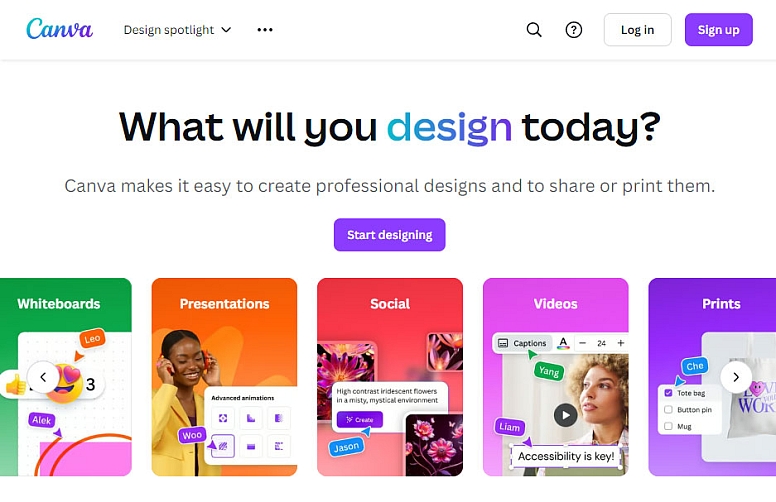
Canva is a graphic design platform that includes basic mockup features. Its strength is integration. You can design your artwork in Canva and then quickly place it onto a mockup template, all within the same browser tab. This is efficient for simple presentations or social media content.
What it does for bulk promotional products:
- Provides design and mockup in one place. You do not need to export a design file and import it into a separate mockup tool.
- Offers a library of mockup templates. Search for "t-shirt mockup," "mug mockup," or "notebook mockup" within Canva's template library.
- Simplifies the process. Most templates are "smart." You double-click on the placeholder area, upload your logo or design, and it wraps onto the product image automatically.
How to use it for a bulk project:
- Design your logo or artwork in a standard Canva project.
- In a new tab or project, search for the type of product mockup you need.
- Select a template. Click on the smart object area (usually marked with an icon).
- Upload your design file or copy/paste the design from your other Canva project.
- Adjust the size and position of your design on the mockup.
- Download the final mockup image to share with your team or print supplier.
Key considerations for bulk orders:
- Quality: The mockup image quality is suitable for digital presentations and basic approvals. It may not be high enough resolution for detailed professional printing proofs.
- Accuracy: The mockups are generic representations. Colours, textures, and proportions may not perfectly match the specific product you will order from your chosen supplier.
- Best for: Internal brainstorming, early-stage client presentations, or creating marketing images for social media when the exact product supplier is not yet confirmed.
Placeit
Placeit is a dedicated mockup generator with an enormous library. It focuses on creating photorealistic images and videos. Their templates use real photographs of products, which makes the final mockups look highly authentic. This is valuable for convincing presentations and accurate previews.

What it does for bulk promotional products:
- Offers extreme variety. Thousands of mockups for apparel, tech accessories, drinkware, stationery, and bags.
- Provides realistic context. Many mockups show the product in a lifestyle setting (a mug on a desk, a t-shirt on a person in an office).
- Includes video mockups. You can create short videos of your design on a product, like a t-shirt being folded or a pen writing.
- Allows detailed control. You can often change the colour of the base product and adjust shadows and lighting.
How to use it for a bulk project:
- Go to Placeit and browse or search for your product category.
- Choose a mockup that closely resembles the product type (e.g., a "unisex crew neck t-shirt" if that's what you're ordering).
- Click the "Upload" button to add your logo or design file.
- Use their editor to position, scale, and rotate your design. You can often adjust blending modes (like "Multiply") to make prints look more natural on fabric.
- Download the high-resolution image or video.
Key considerations for bulk orders:
- Specificity is crucial. You must find a mockup that matches your exact product type. A mockup of a ceramic mug will look wrong if you are ordering a double-walled stainless steel tumbler.
- Colour matching: The product colours in the mockup are fixed. If your supplier offers the shirt in "Heather Navy," but the mockup only shows "Royal Blue," there will be a discrepancy.
- Best for: Creating professional, client-ready presentations, website images, and campaign visuals that require a high degree of realism before you finalise the order with your supplier.
Mediamodifier
Mediamodifier is a dedicated mockup generator that strikes an excellent balance between simplicity and professional output. Designed for marketers, entrepreneurs, and designers, it focuses on creating high-quality visual content quickly. Its clean, ad-free interface makes it a natural spiritual successor to the original Smartmockups experience.

What it does for bulk promotional products:
-
Offers a streamlined mockup process. The drag-and-drop interface is intuitive, allowing you to place your artwork onto products and see results instantly—perfect for novice designers and seasoned professionals alike.
-
Provides high-quality template downloads. A standout feature is the ability to download many mockup templates as PSD files (with an annual subscription). This gives you the flexibility to work offline or make advanced adjustments in Photoshop.
-
Includes a unique "Day Ticket" option. Unlike most subscription-only services, Mediamodifier offers a 24-hour pass for unlimited downloads. This is ideal for one-off bulk projects or seasonal campaigns where you don't need a monthly commitment.
-
Combines mockups with basic design tools. Beyond just mockups, the platform includes a designer for creating social media visuals and marketing materials, making it a versatile tool for brand consistency.
How to use it for a bulk project:
-
Browse or search the Mediamodifier library by product category (apparel, drinkware, stationery, packaging, etc.).
-
Select a mockup scene that closely matches the product you intend to order.
-
Use the drag-and-drop editor to upload your logo or design file. Position and scale your artwork on the product.
-
For total control, download the mockup as a PSD template and open it in Photoshop for fine-tuning.
-
Export the final high-resolution image to share with your team or supplier, or publish it directly to social media from the platform.
Key considerations for bulk orders:
-
Template library size: With 2,000+ mockups, its library is larger than basic tools but smaller than giants like Placeit (which boasts 25,000+). However, the focus is on quality over quantity.
-
Unique licensing flexibility: The ability to download PSD source files is rare among mockup generators and offers significant flexibility for designers who want to ensure perfect accuracy before sending artwork to a supplier.
-
Pricing model: Monthly subscriptions are comparable to competitors at $9–$19, but the "Day Ticket" (around $9 for 24 hours) provides exceptional value for bulk project work.
-
Best for: Designers and marketers who want a standalone, professional mockup tool with the flexibility of PSD downloads, or businesses needing a short-term burst of mockup creation without a recurring subscription.
Vistaprint
Vistaprint is not a generic mockup platform; it is a major print and promotional product supplier. Its design tools are directly connected to its manufacturing inventory. When you create a mockup in Vistaprint, you are seeing a representation of the exact product they will ship, on the specific material they use.

What it does for bulk promotional products:
- Provides product-accurate mockups. The colours, shapes, and materials in the mockup are engineered to match their physical stock.
- Integrates with their ordering system. The mockup you create is attached directly to your shopping cart.
- Offers a wide range of standard items. From t-shirts and mugs to banners and car door magnets.
- Includes basic design tools. You can create your artwork from scratch using their templates and fonts.
How to use it for a bulk project:
- Navigate to the Vistaprint product page for the item you wish to order (e.g., "Unisex T-Shirts").
- Select the specific product model and colour.
- Click "Customize." This loads their online designer.
- Upload your artwork or create text using their tools. Position it on the product template.
- The site shows you a mockup on the product page. You can often view it from multiple angles.
Key considerations for bulk orders:
- Vendor lock-in. The mockup is only accurate for Vistaprint products. If you get a quote from another supplier, their product dimensions or fabric blend may differ.
- Design limitations. Their built-in designer is capable but not as powerful as professional graphic software like Adobe Illustrator.
- Best for: Businesses that have decided to use Vistaprint as their supplier. It is the most accurate way to preview your order before committing to production with it.
CustomCat
CustomCat is a print-on-demand (POD) platform and integration tool. Its mockup generator is built specifically for the vast catalogue of products available from POD suppliers. This is essential for e-commerce businesses selling customised goods, but it's also useful for visualising one-off bulk orders from similar supply chains.

What it does for bulk promotional products:
- Access to a massive product catalogue. Hundreds of items from different manufacturers, all within one system.
- Generates mockups for all products. Every product in their catalogue has an associated mockup template.
- Shows accurate print areas. The designer clearly indicates the "safe zone" for your artwork, which is critical for avoiding cropped prints.
- Allows colourway generation. You can quickly see your design on all available colour options for a product.
How to use it for a bulk project:
- Within the CustomCat dashboard, browse or search for a product.
- Click to design that product.
- Upload your print file (they support complex multi-colour designs).
- Position your design within the safe zone on the template.
- The platform automatically generates mockup images of the product model. You can cycle through different product colours.
Key considerations for bulk orders:
- POD-focused. The mockups represent the typical quality and technique of POD suppliers (usually direct-to-garment or sublimation printing). This may differ from traditional screen printing used for very large bulk orders.
- Technical setup. Using CustomCat requires more initial account setup than a simple mockup website.
- Best for: Validating a design across many product types and colours, especially if you are sourcing from a print-on-demand or similar digital-print supplier.
Artwork Flow
Artwork Flow is a brand asset management and proofing platform. It goes beyond simple mockups to manage the entire lifecycle of a promotional product, from design to final printer approval. This is a tool for teams and organisations with strict brand guidelines and complex review processes.

What it does for bulk promotional products:
- Creates digital proofs within context. You can upload a product template and apply artwork to create a proof for stakeholders.
- Manages review and approval. Stakeholders can comment directly on the mockup, mark up changes, and give approval—all tracked within the system.
- Stores brand assets. Keeps logos, colour palettes (Pantone codes), and fonts in one place to ensure consistency.
- Reduces errors. Creates a single, version-controlled proof instead of relying on email chains with attached images.
How to use it for a bulk project:
- Upload or create a product template (a "mask") for your specific item (e.g., a specific pen model from your supplier).
- Apply your approved logo and artwork files to the template within Artwork Flow.
- Invite team members (marketing, legal, executive) to review the proof.
- Collect feedback and markups directly on the platform. Make revisions.
- Obtain final, audited approval. Download the approved mockup and artwork package to send to your supplier.
Key considerations for bulk orders:
- Enterprise tool. It is built for process, not for quick, one-off mockups. There is a learning curve and a cost.
- Requires template creation. To be most accurate, you or your supplier may need to create a precise template of the product.
- Best for: Medium to large companies that order branded merchandise regularly, have multiple decision-makers, and need a rigorous, error-proof approval workflow to prevent costly misprints.
Blender
Blender is a free, open-source 3D creation suite. It is a professional-level tool used for animation, visual effects, and 3D modelling. For mockups, it allows you to build a completely custom 3D scene of your product, apply your design as a texture, and render it with studio-quality lighting and shadows. This is the most flexible and accurate method, but it requires significant skill.

What it does for bulk promotional products:
- Unlimited customisation. You can model the exact product (or import a 3D model from a supplier), set its material properties (plastic, cotton, metal), and place it in any environment.
- Perfect accuracy. If you have the correct 3D model and design file, the rendered image can be nearly indistinguishable from a photograph.
- Creates unique views. You are not limited to pre-set angles. You can render a top-down view, a cross-section, or an animation showing the product from all sides.
How to use it for a bulk project:
- Source or create a 3D model of the promotional product. Some suppliers provide 3D files (.obj, .stl) for this purpose.
- Import the model into Blender.
- UV unwrap the model (this creates a map for applying 2D artwork to the 3D surface).
- Apply your design file as a material texture to the model.
- Set up lighting and a camera angle.
- Render the final high-resolution image.
Key considerations for bulk orders:
- Steep learning curve. Blender is complex software. Using it effectively for mockups requires weeks or months of learning.
- Time-intensive. Creating a high-quality render takes time to set up and process, even for an expert.
- Best for: Specialised situations where a perfect, supplier-accurate visual is critical for a high-value order, or for creating a library of custom mockups for a product line you will use repeatedly. It is not for casual or quick projects.
Brandly
Brandly positions itself as an all-in-one platform for branded merchandise. It combines product sourcing, a design/mockup tool, and ordering into a single system aimed at simplifying corporate swag management. Its mockup feature is directly tied to its curated catalogue of suppliers.

What it does for bulk promotional products:
- Simplifies the process. It guides you from "I need pens" to designing, approving, and ordering them in one interface.
- Offers vetted products. The catalogue contains items from suppliers with whom they have a relationship, aiming for reliable quality.
- Provides a clean mockup generator. The design tool lets you apply artwork and see it on the product in real-time.
- Manages budgets and orders. You can set spending limits, get approvals, and place orders directly through the platform.
How to use it for a bulk project:
- Browse the Brandly product catalogue.
- Select an item and choose a colour.
- Click to design. Upload your logo or use their text tools.
- The live mockup updates as you design. You can save multiple design variations.
- Share the mockup via a link for team approval, then proceed to checkout within Brandly.
Key considerations for bulk orders:
- Curated ecosystem. You are limited to the products and suppliers in their network. You cannot use it to mock up an item from an external vendor.
- Balanced capability. The mockup tool is more capable than a basic supplier site but less extensive than Placeit. The value is in the integrated workflow.
- Best for: Companies, HR teams, or event planners who want a streamlined, managed service for ordering promotional items without needing to contact multiple suppliers or use separate design tools.
The platform you choose depends on where you are in the process and who needs to see the mockup. For internal ideas, Canva is fast. For stunning client presentations, use Placeit or Smartmockups. If you've chosen your supplier (Vistaprint, Brandly), use their integrated tool. For managing complex team approvals, consider Artwork Flow. For ultimate control and accuracy where the budget justifies it, Blender is the professional's choice. Always use the mockup to ask specific questions of your final supplier: "Does the print area match this?" "Is this blue an accurate representation of your 'Sport Grey' shirt?"
Frequently Asked Questions
What is the most important thing to check on a mockup before a bulk order? Check the print area and dimensions. A mockup might look balanced, but you must confirm the actual printable area (in inches or centimetres) with your supplier. A design that looks fine on a mockup might be too large or too close to the seam for their printing equipment.
My mockup looks perfect, but the physical sample from the supplier looks wrong. Why? This is common. The mockup is a digital image. The physical product involves ink on material. Colours can shift based on the fabric (a white logo on a black shirt needs an underbase). The texture of the material affects the look. This is why you must always order a physical sample (a "strike-off") before approving the full bulk production run.
Can I use these mockups for my website if I'm selling the products? Yes, but you must check the license terms of the mockup platform. Most allow the use of the final generated image for marketing and sales. However, mockups from generic platforms like Placeit may not perfectly match the exact product you receive from your chosen manufacturer, which could lead to customer complaints.
What file format should my design be in for the best mockup results? Always use a vector file (like .AI, .EPS, or .SVG) if possible. This allows you to scale your design infinitely without losing quality. If you only have a raster file (like .PNG or .JPG), ensure it is very high-resolution (at least 300 DPI at the final print size).
Is it worth paying for a premium mockup platform? If you create mockups regularly for clients or internal stakeholders, a paid subscription to a platform like Placeit or Smartmockups saves significant time and provides a more professional result. For one-off projects, the free tiers of Canva or a supplier's own tool may be sufficient.
LEAVE A COMMENT






0.2846