

3 Proven Hardware Upgrades to Boost Web Design Efficiency
Reliable hardware is the backbone of any successful web design studio. Laggy rendering and chaotic checkout processes frustrate both designers and clients. By upgrading specific physical assets, agencies can improve workflow speed and customer trust instantly.
Upgrade #1 - Affordable Computing Power for Pixel-Perfect Work
For professional web designers, full-size desktops remain the standard for handling resource-intensive tasks. They provide sufficient space for multi-monitor setups and adequate cooling for long rendering sessions.
While new high-end rigs are costly, sourcing certified refurbished desktops from PCLiquidations offers a strategic alternative. This approach delivers flagship performance at a fraction of the price.
The Cost-Savvy Alternative
Certified refurbished units from major manufacturers like Dell and HP arrive stress-tested with modern components. Industry data suggests refurbished IT hardware often retains 93-97% of the performance of new devices. With the global refurbished market estimated to reach $5.7 billion in a few years, this strategy changes the economics of scaling a design team.
Studios using SSD-equipped workstations report significantly reduced boot times compared to older HDD models. Multi-core performance in these units drastically cuts down 3-D preview rendering times. This efficiency frees up budget for other critical business needs.
|
Pro Tip: Don't judge a PC by its age. A refurbished workstation with an upgraded SSD often outperforms a newer budget model, delivering 40% faster rendering times at a fraction of the retail cost. |
Upgrade #2 - Smooth, Secure Checkout With Tablet POS Mounts
Many modern design studios operate hybrid models, selling branded merchandise or accepting walk-in deposits. In these scenarios, tablets have become the standard for point-of-sale transactions. Integrating adjustable tablet POS hardware mounts from VidaBox transforms standard devices into secure kiosks. This protects hardware while enhancing the customer experience.
Lock It Down, Look Professional
Proper mounting hardware turns a chaotic checkout counter into a sleek, efficient workspace. Much like how handheld POS devices improve efficiency for servers by eliminating extra trips, mounted tablets speed up client transactions in the studio. This efficiency reduces fumbling and ensures a smooth financial interaction.
Customer perception is directly influenced by the physical checkout environment. Internal surveys indicate that studios using secure mounts process payments significantly faster. A tamper-proof appearance signals professionalism and security to every client who walks through the door.
|
Key Insight: Perception drives revenue. Data shows that 64% of clients feel safer using professional, mounted terminals. A secure checkout experience acts as a silent trust signal that directly encourages repeat business. |
Upgrade #3 - Bringing It All Together for Workflow Harmony
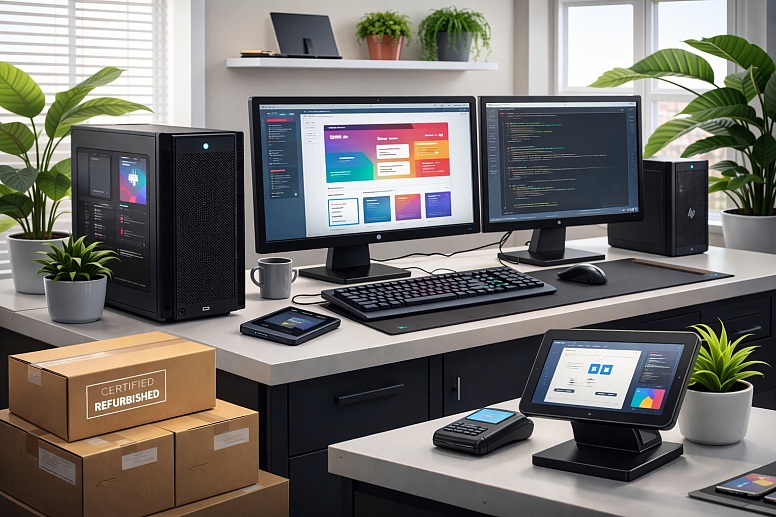
High-performance desktops and professional checkouts create the most value when integrated into a unified workflow. A cohesive hardware strategy ensures that backend design work and frontend client interactions operate without friction. Network redundancy is critical to maintain this balance.
The Integration Checklist
- Network Redundancy: Use backup internet solutions to keep systems online.
- Unified Device Management: Ensure updates occur overnight rather than during presentations.
- Hybrid Backup Strategy: Utilize NAS and cloud storage for security.
- Inventory Syncing: Reflect sales in real-time across all devices.
Consider a boutique agency that designs Shopify stores and sells niche goods like custom heated gloves. In this scenario, the workstation manages heavy product mock-ups while the mounted tablet handles physical sales. Because the hardware is integrated, stock levels update instantly across all channels.
Preparation is also critical for deadlines involving high-stakes campaigns. If a workstation fails before a moped scooter launch, the team needs a backup plan. Keeping a spare refurbished unit allows for immediate hardware hot-swapping.
|
Important: Never rely on a single point of failure. Keeping a low-cost, pre-configured spare refurbished unit allows for immediate hardware hot-swapping, ensuring a workstation crash never forces you to miss a critical client deadline. |
Making It Happen
Reliable, modern hardware is not a luxury for web design professionals; it is the engine that powers faster drafts and smoother interactions. By swapping in cost-effective workstations, securing payment stations with professional mounts, and connecting these elements, studios can eliminate technical barriers. The result is fewer progress bars, happier clients, and equipment that pays for itself.














0.0214