



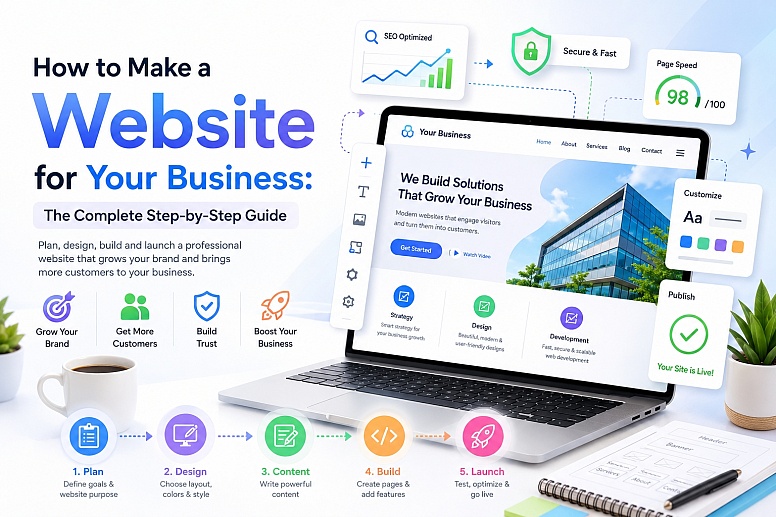
Step-by-Step: How to Make a Website for Your Business
Building a business website used to require expensive developers, technical knowledge, and months of work. Today, creating a professional website is more accessible than ever, whether you're launching a local service business, an eCommerce brand, a consultancy, or a startup.
A strong website helps customers find you online, builds trust, generates leads, and can even automate parts of your business. For businesses that want to shorten the design process, professionally built Framer templates can provide a conversion-focused starting point while still allowing the layout, content, and branding to be customized.
Here, you’ll learn every major step involved in creating a business website from scratch.
Why Every Business Needs a Website
Before diving into the process, it’s worth understanding why a website matters so much.
A business website can help you:
- Build credibility and trust
- Appear in Google search results
- Generate leads and enquiries
- Sell products or services online
- Showcase your portfolio or previous work
- Answer customer questions automatically
- Compete with larger businesses
Even if your business relies heavily on social media, you still need a website that you fully control.
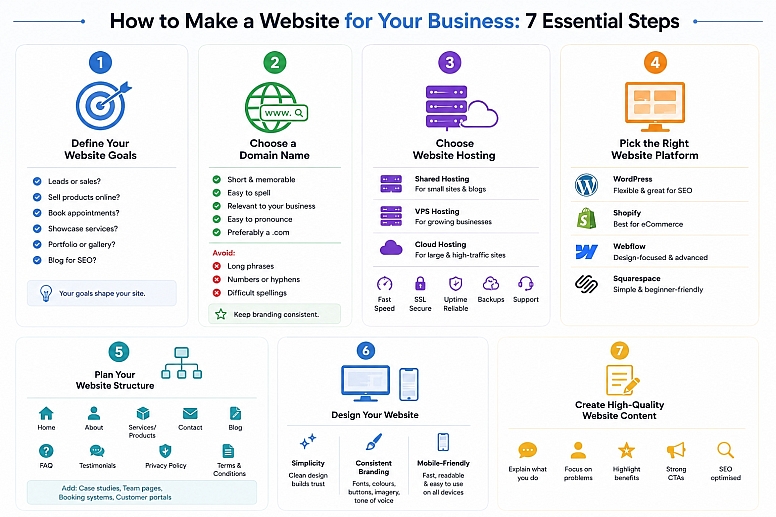
Step 1: Define Your Website Goals
Before choosing a platform or designing pages, clarify what your website actually needs to achieve.
Ask yourself:
- Do you want leads or sales?
- Will you sell products online?
- Do customers need to book appointments?
- Are you showcasing services?
- Do you need a portfolio or a gallery?
- Will you publish blog content for SEO?
Your goals will shape the structure, design, and functionality of the site.
Step 2: Choose a Domain Name
Your domain name is your website address (for example, webyurt.com).
A good domain name should be:
- Short and memorable
- Easy to spell
- Relevant to your business
- Easy to pronounce
- Preferably a
.comif available
Avoid:
- Long phrases
- Numbers or hyphens
- Difficult spellings
Try to keep branding consistent across your website and social media handles.
Step 3: Choose Website Hosting
Web hosting stores your website files and makes your website accessible online.
There are several types of hosting:
Shared Hosting
Affordable and beginner-friendly.
Best for:
- Small business websites
- Startups
- Blogs
VPS Hosting
More powerful and scalable.
Best for:
- Growing businesses
- Higher traffic websites
Cloud Hosting
Highly scalable and reliable.
Best for:
- Large businesses
- eCommerce stores
- High-traffic projects
When choosing hosting, look for:
- Fast loading speeds
- SSL certificates
- Good uptime
- Backups
- Security features
- Responsive support
Step 4: Pick the Right Website Platform
Different platforms suit different businesses.
WordPress
The most flexible option is excellent for SEO.
Best for:
- Custom business websites
- Blogs
- Service companies
- Custom websites
Shopify

Excellent for eCommerce stores.
Best for:
- Selling physical products
- Online retail brands
Great for visually advanced websites.
Best for:
- Modern design-focused brands
- Agencies
- Portfolios
Squarespace
Easy beginner-friendly builders.
Best for:
- Small local businesses
- Simple brochure websites
Step 5: Plan Your Website Structure
A clear website structure improves user experience and SEO.
Most business websites should include:
- Home Page
- About Page
- Services or Products
- Contact Page
- Blog
- FAQ Page
- Testimonials or Reviews
- Privacy Policy
- Terms & Conditions
For larger businesses, you may also need:
- Case studies
- Team pages
- Booking systems
- Customer portals
Step 6: Design Your Website
Good web design is not just about appearance; it affects conversions, trust, and usability.
Focus on Simplicity
Avoid cluttered layouts and overwhelming animations.
A clean design helps users:
- Navigate more easily
- Find information faster
- Trust your business more
Use Consistent Branding
Keep your:
- Fonts
- Colours
- Buttons
- Imagery
- Tone of voice
consistent throughout the site.
Make It Mobile-Friendly
Most users now browse on mobile devices. Your website must:
- Load quickly on phones
- Have readable text
- Use responsive layouts
- Include easy-to-tap buttons
Step 7: Create High-Quality Website Content
Content is one of the most important parts of any business website.
Your content should:
- Explain what you do clearly
- Focus on customer problems
- Highlight benefits
- Include strong calls-to-action
- Be optimised for SEO
Write SEO-Friendly Page Titles
Your page titles heavily influence search rankings and click-through rates.
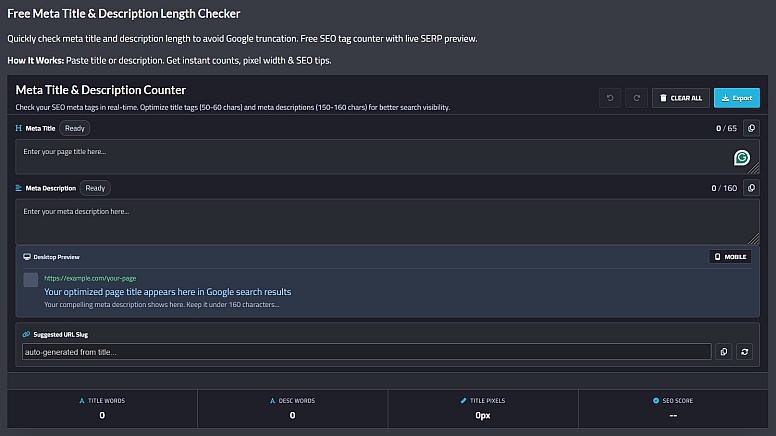
A good meta title should:
- Include keywords naturally
- Stay within recommended length limits
- Be compelling enough to encourage clicks
You can check your title lengths using this free Meta Title Counter Tool by Toolonic.
Use Clear Headings
Organise content with:
- H1 headings
- H2 sections
- Bullet points
- Short paragraphs
This improves readability and SEO.
Add Trust Signals
Include:
- Testimonials
- Reviews
- Certifications
- Awards
- Client logos
- Case studies
These increase credibility significantly.
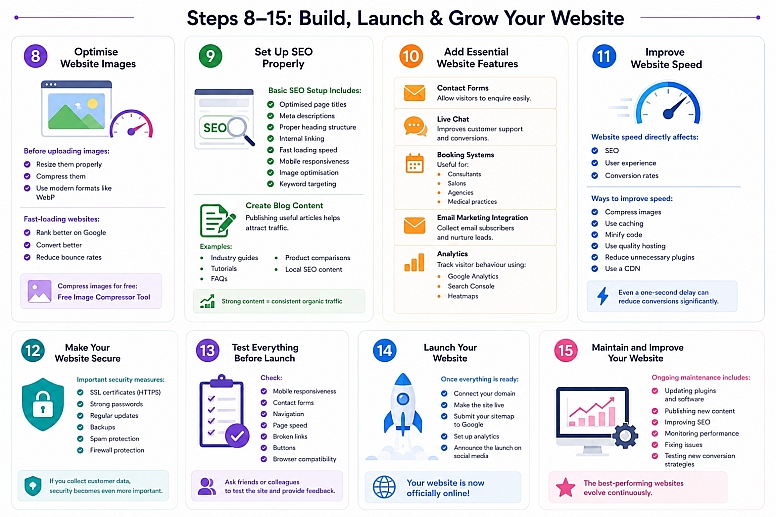
Step 8: Optimise Website Images
Large image files are one of the biggest causes of slow websites.
Before uploading images:
- Resize them properly
- Compress them
- Use modern formats like WebP where possible
Fast-loading websites:
- Rank better on Google
- Convert better
- Reduce bounce rates
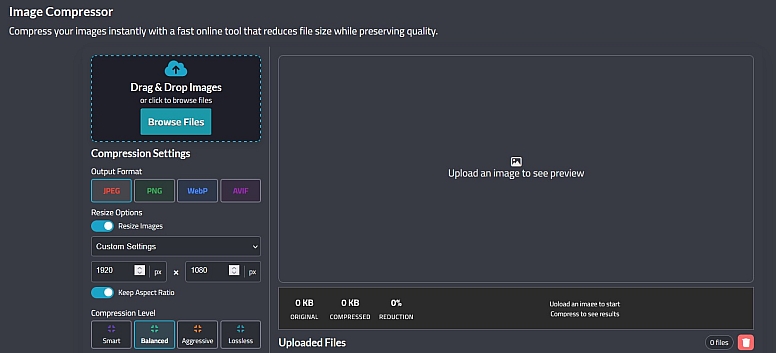
You can compress website images for free using this Free Image Compressor Tool by Colorik.
Step 9: Set Up SEO Properly
SEO (Search Engine Optimisation) helps your website appear in Google search results.
Basic SEO Setup Includes
- Optimised page titles
- Meta descriptions
- Proper heading structure
- Internal linking
- Fast loading speed
- Mobile responsiveness
- Image optimisation
- Keyword targeting
Create Blog Content
Publishing useful articles helps attract traffic from search engines.
Examples:
- Industry guides
- Tutorials
- FAQs
- Product comparisons
- Local SEO content
Over time, strong content can generate consistent organic traffic.
Step 10: Add Essential Website Features
Depending on your business, consider adding:
Contact Forms
Allow visitors to enquire easily.
Live Chat
Improves customer support and conversions.
Booking Systems
Useful for:
- Consultants
- Salons
- Agencies
- Medical practices
Email Marketing Integration
Collect email subscribers and nurture leads.
Analytics
Track visitor behaviour using tools like:
- Google Analytics
- Search Console
- Heatmaps
Step 11: Improve Website Speed
Website speed directly affects:
- SEO
- User experience
- Conversion rates
Ways to improve speed:
- Compress images
- Use caching
- Minify code
- Use quality hosting
- Reduce unnecessary plugins
- Use a CDN
Even a one-second delay can reduce conversions significantly.
Step 12: Make Your Website Secure
Security is critical for protecting both your business and visitors.
Important security measures include:
- SSL certificates (HTTPS)
- Strong passwords
- Regular updates
- Backups
- Spam protection
- Firewall protection
If you collect customer data, security becomes even more important.
Step 13: Test Everything Before Launch
Before going live, test your website thoroughly.
Check:
- Mobile responsiveness
- Contact forms
- Navigation
- Page speed
- Broken links
- Buttons
- Browser compatibility
Also, ask friends or colleagues to test the site and provide feedback.
Step 14: Launch Your Website
Once everything is ready:
- Connect your domain
- Make the site live
- Submit your sitemap to Google
- Set up analytics
- Announce the launch on social media
Your website is now officially online.
Step 15: Maintain and Improve Your Website
A website should never be completely “finished.”
Ongoing maintenance includes:
- Updating plugins and software
- Publishing new content
- Improving SEO
- Monitoring performance
- Fixing issues
- Testing new conversion strategies
The best-performing websites evolve continuously.
Common Mistakes to Avoid
Ignoring Mobile Users
Mobile-first design is essential.
Using Slow Hosting
Cheap hosting often hurts performance.
Writing Weak Content
Clear messaging matters more than flashy visuals.
Overcomplicating Design
Simple websites often convert better.
Forgetting SEO
Without SEO, your website may struggle to attract traffic.
Creating a successful business website is a combination of:
- Strong strategy
- Clear messaging
- Good design
- Fast performance
- SEO optimisation
- Ongoing improvement
You do not need the most complex website to succeed. In many cases, a clean, fast, well-structured website with useful content will outperform a visually overwhelming one.
The key is focusing on user experience and making it easy for potential customers to understand what you offer and take action.
LEAVE A COMMENT






0.2459