



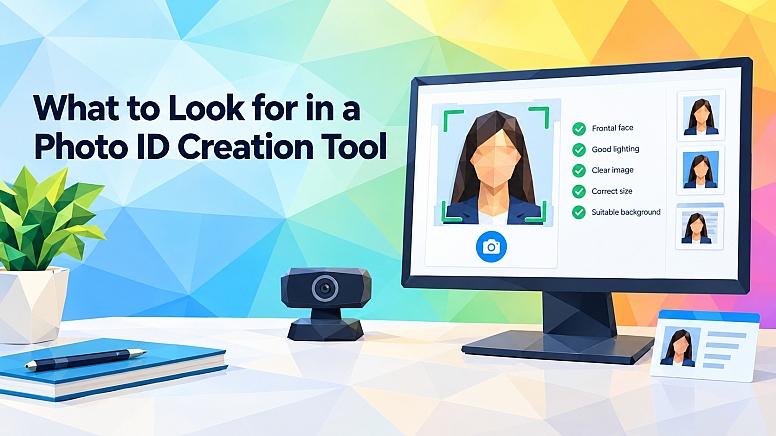
What to Look for in a Photo ID Creation Tool
Creating a usable ID photo is more demanding than taking a clear headshot. Organizations may need consistent framing, image dimensions, backgrounds, pose requirements, and privacy controls across hundreds or thousands of users.
A good photo ID creation tool should reduce that variability without making enrollment difficult.
Whether you're issuing employee badges, student IDs, membership cards, or other authorized credentials, the right choice comes down to image quality, configurable rules, privacy, usability, and integration with the systems you already use.
Start with the photo requirements you actually need to enforce
Before comparing software, define what counts as an acceptable photo in your organization. A corporate access badge may have different requirements from a university credential or a photograph intended for a regulated identity document.
Basic image editing features aren't enough if staff still have to inspect every submission manually. A useful photo ID creation tool should be able to evaluate or guide users through factors such as head position, face size, lighting, background, eye visibility, and image dimensions. The exact controls you need will depend on the credential you're producing.
Configurability matters here. A fixed set of photo rules can become restrictive when one organization issues several credential types. For example, a university might create student cards, staff badges, and visitor credentials through the same enrollment process. Each may use different cropping, dimensions, or image acceptance rules.
Look at how precisely administrators can define those requirements. Can they specify image height and width? Can they control head-to-image ratios or required background characteristics? Can different configurations be assigned to different workflows? A tool that lets you translate an established credentialing policy into actual capture rules is more useful than one that simply takes a photo and crops it afterward.
Standards support can also matter when photographs will move between systems. If your organization needs a particular biometric portrait or credential format, check exactly which standards the product supports and whether those standards apply to capture, formatting, export, or all three. A standards claim by itself doesn't tell you how the software behaves in your workflow.
Look for guided capture, not just image editing
Many problems occur before an image reaches the editing stage. Poor lighting, an off-centre face, an obstructed eye, or an unsuitable camera angle can leave you with a photograph that cropping can't fix.
That makes guided capture one of the more valuable capabilities to compare. Instead of accepting virtually any picture and asking an administrator to repair it later, a good system should help the user produce an acceptable image during capture.
This becomes particularly important when enrollment happens remotely. If employees or students are submitting photographs from their own phones and laptops, you can't assume they have a controlled studio setup. The software should account for the variability of ordinary cameras and give useful feedback while the person is still in front of the device.
When reviewing photo ID generation software, examine whether capture rules can detect problems such as incorrect pose, closed or obstructed eyes, unsuitable framing, or inconsistent illumination before an image enters the credentialing process. The goal isn't to add more checks for their own sake. It's to reduce avoidable back-and-forth between administrators and users.
Also consider what happens when an image fails. A vague "photo rejected" message creates support work. Clear feedback, such as asking the person to face the camera directly or move into better lighting, gives them a reasonable chance of correcting the problem themselves.
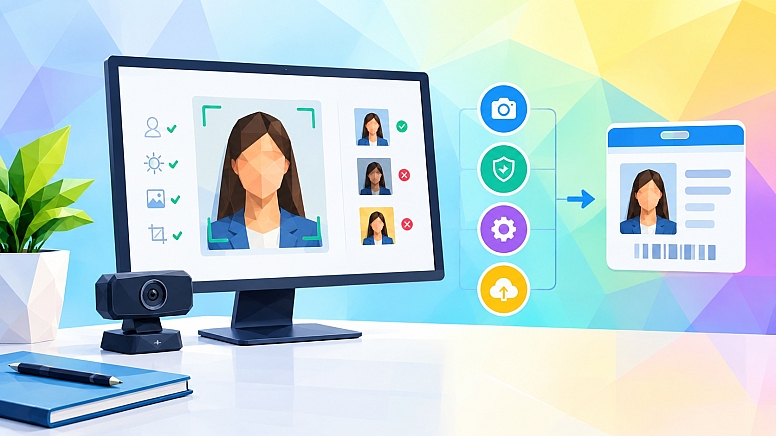
That distinction affects the entire enrollment experience. Automated checking is much less useful if every failure still requires intervention from an administrator.
Treat privacy and identity proofing as separate questions
Photo ID workflows involve personal information, so privacy should be evaluated as part of the product architecture rather than as a checkbox near the end of procurement.
Start by asking where photographs are processed. Does the image have to be uploaded to a remote server before it can be assessed? Is any processing performed locally on the user's device? What information is retained after processing, for how long, and for what purpose?
Those questions matter because collecting less unnecessary data can reduce exposure. They also help your technical and privacy teams understand where information moves during enrollment.
Pay particular attention to systems that use facial analysis. Ask vendors to explain which data is generated from an image and whether biometric templates or other derived information are stored. Terms such as "facial recognition," "face detection," and "photo quality analysis" shouldn't be treated as interchangeable because they may involve different processing.
It's also important to separate photo creation from identity verification. Producing a standards-compatible portrait doesn't establish that the person in the picture is who they claim to be. Identity proofing is a broader process in which evidence is used to establish an individual's identity. The current NIST Digital Identity Guidelines for Identity Proofing & Enrollment describe identity evidence, validation, verification, enrollment, and different levels of identity assurance.
That distinction helps prevent an easy procurement mistake. If your use case only requires consistent photographs for already-enrolled employees, you may not need a full identity proofing workflow. If you're remotely enrolling unknown applicants into a higher-assurance system, photo capture may be only one part of the process.
Security reviews should therefore cover both what the photo tool does and what it does not do. Clear boundaries are preferable to broad claims that blur image creation, biometric matching, authentication, and identity proofing together.
Check whether the workflow will work outside a controlled office
A technically capable system can still fail if users struggle to complete the process.
Consider how people will actually submit their photos. Some may use modern smartphones, while others will use older laptops with average webcams. Some will have reliable broadband. Others may be enrolling from locations with limited connectivity.
Device support should therefore be tested rather than assumed. Check the browsers, operating systems, and camera types your audience is likely to use. If the process depends on a native mobile application, decide whether asking every user to install an app is reasonable. For short enrollment tasks, browser-based capture can remove a significant step.
Connectivity is another practical issue. If processing depends continuously on a remote service, temporary network problems may interrupt capture. Organizations operating in field environments should ask whether any parts of the photo assessment can continue locally and what happens when connectivity disappears during enrollment.
Accessibility deserves similar attention. Camera instructions should be understandable, controls should be clearly labelled, and users should have a practical way to recover when automated guidance doesn't work for them. No automated photo rule will handle every person and every environment perfectly.
You should also test the administrative side of the experience. How are rejected photos reviewed? Can authorized staff override a rule when policy permits it? Can administrators see why a submission failed? Can different credential programs use different configurations?
The best evaluation isn't a vendor demonstration using ideal equipment. Run a small pilot with the devices and conditions your real users will encounter.
Evaluate integration and administration before committing
Photo creation rarely exists as an isolated task. The resulting image may need to enter an identity management system, physical access platform, student information system, human resources application, badging service, or credential printing workflow.
Map that journey before selecting a tool.
Start with the output. Determine which image formats and dimensions downstream systems accept, how files are transferred, and whether metadata needs to accompany them. Then examine how the photo service connects to those systems. Depending on the environment, this could involve an application programming interface (API), software development kit (SDK), browser component, or an existing integration.
The important question isn't simply whether an API exists. Your development team needs to know whether it exposes the functions your workflow requires.
Administration should be examined with the same care. If every policy adjustment requires code changes, even a powerful capture engine may create unnecessary maintenance. Look for clear controls over capture rules, credential profiles, and user permissions.
Logging is another useful capability. Administrators should be able to understand what happened when a submission failed without exposing more personal information than necessary. Good operational visibility makes troubleshooting easier and reduces the temptation to work around the system informally.
Finally, examine how the tool fits your existing enrollment process. Replacing every surrounding system simply to improve photo capture is rarely practical. A focused tool that can fit cleanly into an established credentialing workflow may be a better choice than a much larger platform containing features you don't need.
Choose for the full credentialing workflow, not the feature list
The right photo ID creation tool should do more than produce attractive headshots. It should help your organization consistently apply its photo rules, guide users through capture, handle personal information appropriately, and deliver usable images into the systems that issue authorized credentials.
Start with your own requirements rather than a vendor's feature checklist. Define the credential standards, capture conditions, privacy expectations, devices, and downstream systems first. Once those are clear, it becomes much easier to distinguish features that solve real operational problems from features that simply make a product demonstration look impressive.






0.2852