



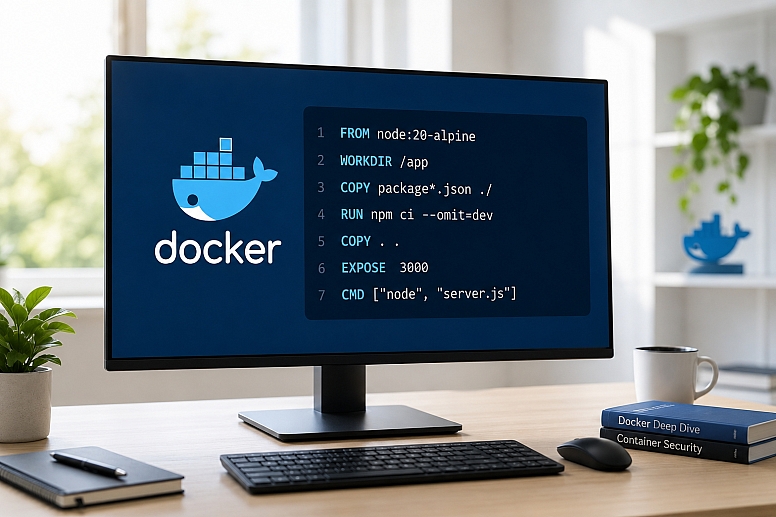
How to Create, Optimize & Secure Docker Production Images
Containers have transformed the way modern applications are built, packaged, and deployed. Docker provides a standardized platform for packaging applications and their dependencies into portable containers that can run consistently across different environments.
However, building Docker images for production involves much more than simply packaging an application. A production-ready image should be optimized for performance, security, maintainability, and reliability.
Poorly designed Docker images can increase deployment times, consume excessive storage, introduce security vulnerabilities, and negatively impact application performance. By following established best practices, organizations can build Docker images that are secure, efficient, and easy to manage.
In this article, we'll explore how to create, optimize, and secure Docker images for production environments.
Understanding Docker Images
A Docker image is a read-only template used to create containers. It typically contains:
- Application source code
- Runtime environment
- Dependencies and libraries
- System tools and configurations
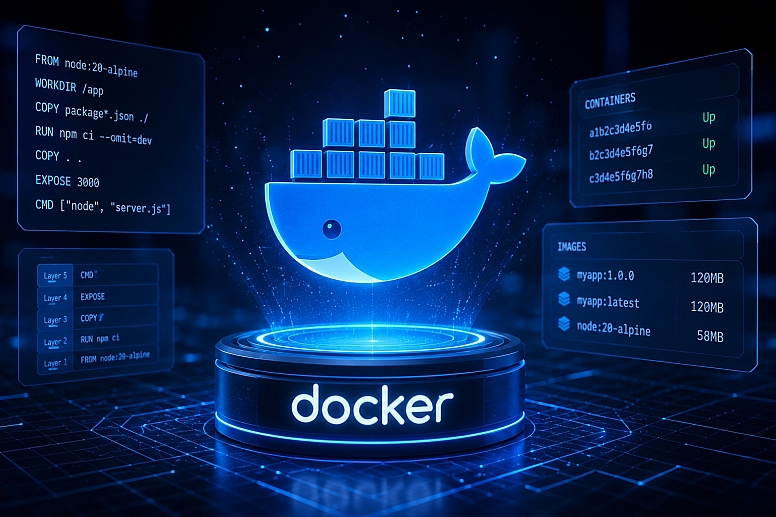
Docker images are built from Dockerfiles, which define a sequence of instructions that create image layers.
A production-ready Docker image should be:
- Lightweight
- Secure
- Fast to build and deploy
- Easy to maintain
- Optimized for performance
- Reproducible across environments
Step 1: Create a Production-Ready Dockerfile
The Dockerfile is the foundation of every Docker image. A well-designed Dockerfile improves build efficiency, maintainability, and security.
Example Dockerfile
FROM node:20-bookworm-slim

WORKDIR /app

COPY package*.json ./

RUN npm ci --omit=dev

COPY . .

EXPOSE 3000

CMD ["node", "server.js"]
This example uses a slim Debian-based image and installs only production dependencies, resulting in a smaller and more reliable image.
Use Official Base Images
Always use trusted and officially maintained base images from verified repositories.
Examples:
FROM ubuntu:24.04
FROM python:3.12-slim
FROM nginx:1.28-alpine
Official images are regularly maintained and receive security updates.
Avoid using unknown or unverified images because they may contain vulnerabilities or malicious software.
Choose Minimal Base Images
Smaller images reduce:
- Attack surface
- Build time
- Storage requirements
- Deployment time
Popular options include:
- Debian Slim
- Alpine Linux
- Distroless images
Keep in mind that Alpine Linux is not always the best choice. Some applications that rely on native libraries or binaries may experience compatibility issues due to Alpine's use of musl libc instead of glibc. Always test and benchmark your application before choosing a base image.
Use Specific Version Tags
Avoid using the latest tag in production environments.
Bad:
FROM node:latestBetter:
FROM node:20.11-alpineUsing explicit versions improves consistency and prevents unexpected behavior when upstream images change.
Consider Image Digest Pinning
For maximum reproducibility and supply-chain security, pin images using digests:
FROM node:20.11-alpine@sha256:<digest>This guarantees that the exact image version is used every time.
Minimize Image Layers
Each Dockerfile instruction creates a new layer.
Instead of:
RUN apt-get update
RUN apt-get install -y curl
RUN apt-get install -y git
Use:
RUN apt-get update &&
    apt-get install -y curl git &&
    rm -rf /var/lib/apt/lists/*
This reduces image size and removes unnecessary package cache files.
Use Multi-Stage Builds
Multi-stage builds separate build dependencies from runtime dependencies.
Example:
# Build Stage
FROM golang:1.22 AS builder

WORKDIR /app

COPY . .

RUN go build -o app

# Runtime Stage
FROM alpine:3.20

WORKDIR /root/

COPY --from=builder /app/app .

CMD ["./app"]
Benefits include:
- Smaller production images
- Reduced attack surface
- Faster deployments
- Cleaner runtime environments
Step 2: Optimize Docker Images for Performance
Optimized images deploy faster and consume fewer resources.
Use a .dockerignore File
A .dockerignore file prevents unnecessary files from being included in the build context.
Example:
node_modules
.git
.env
logs
*.md
This reduces build times and image size.
Cache Dependencies Efficiently
Docker caches layers during builds.
Arrange instructions like this:
COPY package*.json ./

RUN npm ci --omit=dev

COPY . .
This allows dependency installation layers to be reused when application code changes.
Leverage Docker BuildKit
Modern Docker builds should use BuildKit features.
Example:
RUN --mount=type=cache,target=/root/.npm npm ci --omit=devBenefits:
- Faster builds
- Better caching
- Improved CI/CD performance
BuildKit also supports secure secret handling:
RUN --mount=type=secret,id=npm_token ...This prevents secrets from being stored in image layers.
Remove Unnecessary Packages
Avoid installing tools that are not required in production.
Bad:
RUN apt-get install -y vim nano telnetInstall only what your application actually needs.
Analyze Image Layers
Inspect image layers using:
docker history IMAGE_NAMEThis helps identify oversized layers and unnecessary files.
Design Containers Around a Single Responsibility
Containers should generally focus on a single application responsibility.
Examples:
- Nginx container
- Redis container
- Application container
This approach improves scalability, maintainability, and deployment flexibility.
Step 3: Secure Docker Images for Production
Security should be integrated throughout the image lifecycle.
Run Containers as Non-Root Users
By default, many containers run as root.
Create a dedicated user:
RUN addgroup -S appgroup &&
    adduser -S appuser -G appgroup

USER appuser
This reduces the impact of potential compromises.
Avoid Hardcoding Secrets
Never store:
- API keys
- Passwords
- Tokens
- Database credentials
inside Docker images.
Bad:
ENV DB_PASSWORD=mysecretpasswordUse:
- Docker secrets
- Environment variables
- Secret management platforms
- Cloud secret services
instead.
Keep Images Updated
Regularly update:
- Base images
- Frameworks
- Libraries
- Operating system packages
Rebuild images frequently to receive security patches.
Scan Images for Vulnerabilities
Scan images before deployment using tools such as:
- Docker Scout
- Trivy
- Clair
- Snyk
Example:
trivy image myapp:latestGenerate and Review SBOMs
Software Bill of Materials (SBOMs) provide visibility into image contents.
Popular tools include:
- Syft
- Docker Scout
- Anchore
SBOMs help identify vulnerable components and improve compliance.
Use Read-Only Filesystems
Prevent unauthorized filesystem modifications:
docker run --read-only myappDrop Unnecessary Linux Capabilities
Reduce container privileges:
docker run --cap-drop ALL myappAdd back only the capabilities your application requires.
Prevent Privilege Escalation
Use:
docker run --security-opt=no-new-privileges myappThis prevents processes from gaining additional privileges.
Enable Resource Limits
Limit resource consumption:
docker run -m 512m --cpus="1.0" myappBenefits include:
- Improved stability
- Reduced resource abuse
- Better workload isolation
Sign and Verify Images
Image signing helps protect the software supply chain.
Modern approaches include:
- Sigstore Cosign
- OCI image signing
- Supply-chain attestations
These solutions provide stronger guarantees than relying solely on tags.
Avoid Storing Sensitive Logs
Logs may expose:
- User information
- Access tokens
- Credentials
- Internal application details
Sanitize logs and use centralized logging solutions whenever possible.
Step 4: Test Docker Images Before Production
Testing helps identify issues before deployment.
Perform Local Testing
Example:
docker run -p 3000:3000 myappVerify:
- Application functionality
- Port accessibility
- Performance
- Error handling
- Startup behavior
Validate Security Controls
Test:
- User permissions
- Filesystem restrictions
- Network policies
- Vulnerability scan results
before deployment.
Automate CI/CD Pipelines
A typical production pipeline includes:
- Build image
- Run automated tests
- Scan for vulnerabilities
- Generate SBOM
- Push image to registry
- Deploy application
Popular CI/CD platforms include:
- Jenkins
- GitHub Actions
- GitLab CI/CD
- CircleCI
Step 5: Manage Docker Images Efficiently
Effective image management improves reliability and operational efficiency.
Use Consistent Tagging Strategies
Examples:
myapp:v1.0.0
myapp:staging
myapp:production
Consistent tagging simplifies rollbacks and deployments.
Store Images in Secure Registries
Trusted registries include:
- Docker Hub
- GitHub Container Registry
- Amazon ECR
- Google Artifact Registry
- Azure Container Registry
Private registries provide additional access controls and security.
Remove Unused Images
Clean up unused images regularly:
docker image prune -aThis helps reclaim disk space.
Monitor Container Performance
Useful monitoring tools include:
- Prometheus
- Grafana
- cAdvisor
- Datadog
Monitor:
- CPU usage
- Memory usage
- Network traffic
- Disk I/O
- Container health
The Role of Hosting Control Panels in Container Management
Managing Docker containers often involves more than building and deploying images. Administrators also need tools for server monitoring, resource management, security configuration, backups, and operational visibility.
A web hosting control panel can simplify Linux server administration by providing a centralized interface for common management tasks. Depending on the platform, these features may include firewall management, server monitoring, resource tracking, and performance optimization.
For organizations running Dockerized applications, control panels can complement container management workflows by reducing operational complexity and providing additional visibility into the underlying infrastructure.
However, they are only one option. Many teams also use solutions such as Docker Compose, Kubernetes, Portainer, and cloud-native management platforms, depending on their scale and operational requirements.
The right choice depends on factors such as infrastructure size, security requirements, team expertise, and deployment complexity.
Docker images form the foundation of containerized applications. Building production-ready images requires more than simply packaging application code.
By focusing on optimization, security, reproducibility, and maintainability, organizations can improve deployment speed, reduce infrastructure costs, and minimize security risks.
Best practices such as using minimal base images, multi-stage builds, non-root users, vulnerability scanning, BuildKit features, SBOM generation, image signing, and resource limits help create secure and efficient container environments.
Following these practices will result in Docker images that are smaller, faster, more secure, and better suited for modern production workloads.







0.274