



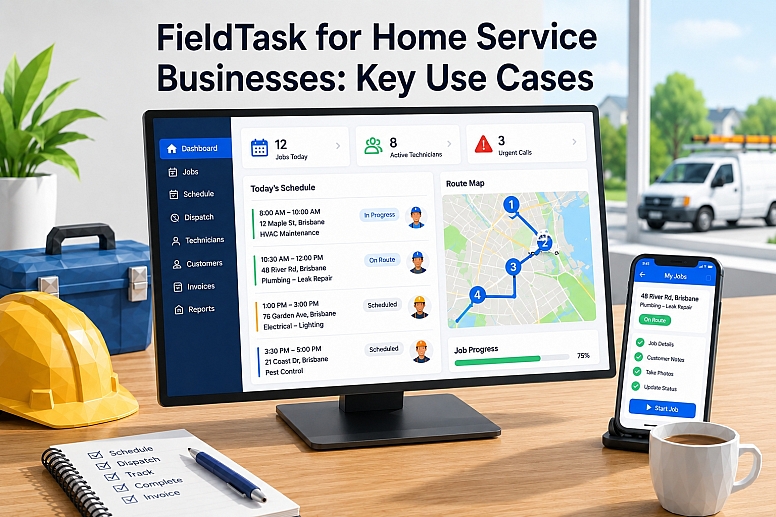
FieldTask for Home Service Businesses: Key Use Cases
FieldTask helps home service businesses manage jobs, dispatch technicians, schedule, and plan routes with HighLevel. It connects customer data with the work completed at homes and other service locations.
The platform fits businesses that already use HighLevel for lead management, marketing, sales, and customer communication. FieldTask adds the operational tools needed to deliver the service after a customer books a job.
Typical users include HVAC companies, plumbers, electricians, cleaners, landscapers, roofers, pest control providers, and property maintenance teams. These businesses often manage several workers, changing schedules, urgent calls, and customers across a wide service area.
What Is FieldTask?
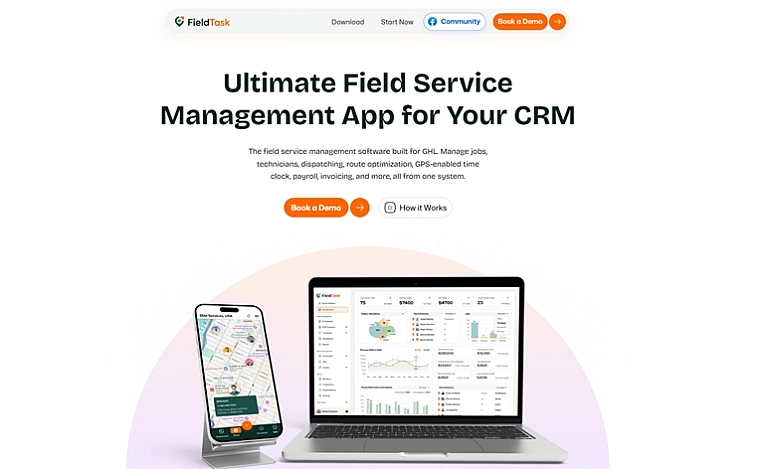
FieldTask is the most connected home service app for the HighLevel ecosystem.
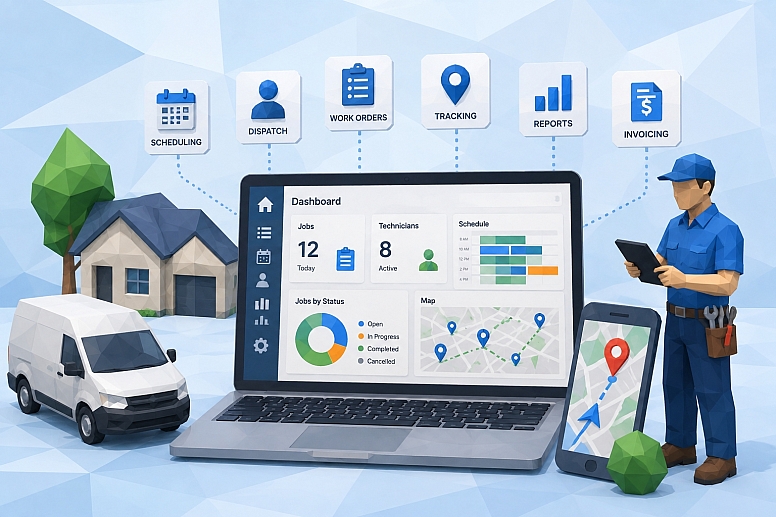
It adds scheduling, dispatching, work orders, technician tracking, route planning, attendance records, job evidence, timesheets, and invoicing.
HighLevel handles leads, contacts, sales pipelines, marketing automation, and customer messages. FieldTask manages what happens when the business needs to send a worker to a customer’s property.
The basic workflow looks simple. A company receives a lead, prepares an estimate, creates a job, assigns a technician, tracks the work, and generates an invoice after completion.
This connected process can reduce the need for spreadsheets, paperwork orders, and separate dispatch tools. However, the business must set up accurate job stages and train its team to update records.
Why Home Service Businesses Need Field Service Software
Home service companies work in changing conditions. A technician may face traffic, a longer repair than expected, a missing part, or an emergency call that changes the whole schedule.
Phone calls and spreadsheets can manage a small number of jobs. However, that system becomes harder to control when the business adds more customers, technicians, and service areas.
Field service software creates one shared source of job information. Office staff can check the schedule, while technicians can view assignments and report progress from their phones.
FieldTask addresses this need for HighLevel users. It connects the sales process with scheduling, job delivery, employee activity, and billing.
1. Scheduling Customer Appointments
FieldTask can help managers organize service appointments and technician shifts. Each job can include a date, time, customer, address, and assigned worker.
This use case matters because home service schedules change often. Customers cancel, emergency calls arrive, and jobs take longer than planned.
A shared schedule gives office staff a clearer view of the day. Managers can see available time slots and move assignments when plans change.
For example, an HVAC company may schedule maintenance visits in the morning and keep one technician available for urgent repair calls. The dispatcher can adjust the schedule without rebuilding it in a spreadsheet.
Good software cannot fix unrealistic planning. Managers still need to allow enough time for travel, diagnosis, paperwork, and unexpected problems.
2. Dispatching the Right Technician
FieldTask lets dispatchers assign work orders to technicians or crews. Managers can consider availability, location, workload, and job requirements before making an assignment.
Effective dispatching reduces delays and unnecessary travel. It can also improve the chance that the technician brings the correct skills and equipment.
A plumbing company provides a clear example. A basic drain blockage may suit a general technician, while a damaged commercial water line may require a more experienced worker.
Live location data can support faster decisions during urgent calls. However, the closest worker is not always the right worker, so dispatchers should also check skills and current workload.
3. Managing Work Orders
FieldTask work orders keep important service details in one place. A record may include the customer’s contact details, service address, job description, appointment time, assigned technician, and current status.
Detailed work orders give technicians useful context before arrival. They also reduce repeated calls between workers and office staff.
An electrician may need to know the property type, reported fault, panel location, and previous repair history. Clear notes help the worker prepare suitable tools and parts.
Managers can also use work orders to follow the job from assignment to approval. This creates a more reliable record than handwritten forms or scattered messages.
The quality of a work order still depends on the information entered. A vague note such as “power problem” will not prepare an electrician for a complex fault.
4. Tracking Technicians in Real Time
FieldTask can show technician locations when tracking and mobile permissions are active. Dispatchers can use this information to understand where workers are during the day.
Live tracking helps when a customer asks for an arrival update. Office staff can check the technician’s progress instead of calling the worker while they drive.
Location data can also help with emergency assignments. A pest control company may send a nearby technician to handle an urgent request after another job ends early.
Businesses should not treat GPS data as perfect proof. Tall buildings, weak mobile signals, battery-saving settings, and device permissions can affect accuracy.
Employee privacy also needs serious attention. Companies should explain when tracking occurs, why they collect the data, how long they keep it, and who can access it.
5. Planning More Efficient Routes
FieldTask includes route planning and route history features for field teams. These tools can help a company organize appointments across a service area.
Better routes may reduce fuel use, travel time, and vehicle wear. They may also let a technician complete more jobs without extending the working day.
A residential cleaning company could group several homes in one neighborhood. A landscaping company could organize recurring visits by area instead of sending crews back and forth across town.
Route history adds another layer of context. Managers can review actual travel patterns and look for repeated delays or inefficient assignments.
Route planning should support human decisions rather than replace them. Traffic, job duration, worker skills, and customer time windows may require manual changes.
6. Recording Attendance With Geofencing
FieldTask can use geofencing to connect attendance with a job location. A geofence creates a digital boundary around a customer site or workplace.
A technician records attendance after reaching the approved area. This process can create more reliable clock-in data than manual timesheets.
A property maintenance company may use geofencing across several apartment buildings. Each worker’s attendance record then connects to the correct service location.
The feature can help identify late arrivals and missing clock-outs. It can also reduce arguments over whether an employee reached the site at the reported time.
Managers should allow a review process for GPS errors. Large properties, rural locations, and weak signals may place a worker outside the digital boundary even when they are on-site.
7. Monitoring Job Progress
FieldTask gives office teams a way to monitor job status throughout the day. A job can move through stages such as assigned, started, in progress, and completed.
Status updates reduce the need for constant phone calls. Dispatchers can check the system before contacting a technician for more information.
A home appliance repair company may have several technicians handling different calls. Job tracking shows which workers remain busy and which ones may accept another assignment.
Clear progress data also helps customer service staff. They can answer basic questions without interrupting the field team.
This system only works when technicians update each job. Managers should keep the status process simple so workers can follow it without slowing down service.
8. Collecting Job-Site Photos and Evidence
FieldTask lets technicians submit evidence after completing work. Evidence may include photos, job notes, inspection results, or other records required by the company.
This use case has strong value for roofing, cleaning, landscaping, property maintenance, and inspection services. These jobs often produce visible results that technicians can document.
A roofing company may collect photos before repairs, during the work, and after completion. The record helps managers review quality and explain the completed service to the customer.
Completion evidence can also protect technicians. A timestamped photo may help when a customer claims that a worker missed part of the job.
Companies should avoid collecting unnecessary images. Photos may capture people, private property, access codes, or other sensitive information, so clear rules matter.
9. Reviewing and Approving Completed Jobs
FieldTask supports a review stage before the company treats a job as complete. Managers can check technician updates, time records, and submitted evidence.
This approval process creates a basic quality control step. It may catch missing photos, incomplete notes, or incorrect service details before invoicing.
For example, a cleaning company may require photos from specific rooms. A manager can request missing evidence before closing the work order.
Approval also improves billing accuracy. Office staff can confirm the completed service and any added work before preparing the final charge.
Too many approval steps can slow the workflow. A company should match the review process to the cost, risk, and complexity of each service.
10. Managing Timesheets and Payroll Data
FieldTask can record employee hours through attendance and job activity. Managers can review timesheets and use approved hours to support payroll calculations.
This function may reduce manual data entry. It also connects working time with actual jobs and locations.
A landscaping company could review crew arrival times, job duration, and daily hours. A maintenance business could check whether travel and service records match submitted time.
Payroll still requires careful review. Overtime, paid breaks, travel time, local labor rules, taxes, and employee classifications may need controls outside FieldTask.
Businesses should treat FieldTask as a source of time data rather than assume it replaces a full payroll system. The company remains responsible for accurate and legal wage payments.
11. Connecting Estimates With Service Jobs
FieldTask connects estimates with job creation in the HighLevel workflow. An approved estimate can move into an operational work order without full data entry again.
This process reduces the gap between sales and service delivery. It also lowers the risk that a technician receives different details from those approved by the customer.
A pest control company might quote an initial treatment and three follow-up visits. The approved service details can guide scheduling and technician instructions.
Accurate estimates remain important. If sales staff enter the wrong property size, service type, or price, that error can follow the job through later stages.
FieldTask offers relevant use cases for home service businesses that run on HighLevel. Scheduling, dispatching, work orders, GPS tracking, geofencing, job evidence, timesheets, and invoicing cover many everyday operational needs.
Its strongest feature is the connection between customer management and field service delivery. A lead can move from HighLevel into an estimate, a scheduled job, a completed service, and an invoice through one connected process.
Its biggest limitation is the same: the close HighLevel connection. Companies outside that ecosystem should compare other field service management tools before making a decision.
For an existing HighLevel user, FieldTask looks like a practical option for replacing basic spreadsheets and disconnected job tools. Still, a full real-world trial remains the best way to judge whether it fits the company’s staff, services, and daily workflow.







0.3618