



8 Essential AI Tools for Productivity & Creativity
AI has gone from novelty to daily driver in just a few years, and the tools available now genuinely change how people work, write, design, and ship ideas.
Whether you're a marketer hunting for information, a developer drowning in documentation, or a creator who needs to turn a half-formed concept into a finished asset, the right AI stack can save hours every week - and sometimes change what you thought was possible in the first place.
Below is a roundup of essential AI tools worth knowing in 2026, covering everything from enterprise search and writing assistance to image generation and meeting transcription. Pick the ones that match how you actually work.
1. Glean – Work AI That Connects Everything Your Team Already Uses
Feature Highlight: Glean is a Work AI platform that plugs into the tools your company already runs on - Google Drive, Slack, Notion, Jira, Confluence, Salesforce, GitHub, and 100+ more - and turns all of it into one searchable, AI-powered assistant.
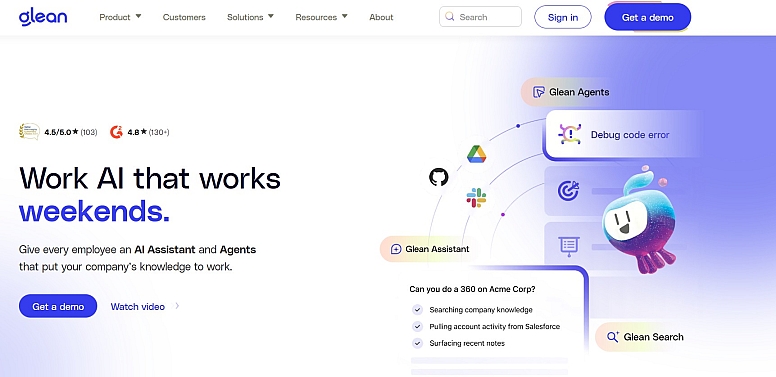
Instead of toggling between ten tabs to piece together an answer, you ask Glean, and it pulls context from across every connected app, respecting existing permissions. It also offers AI agents you can build to automate repetitive workflows like ticket triage, sales account research, or new-hire onboarding.
What Are Glean’s Pros?
- Unifies enterprise search, an AI assistant, and AI agents in a single platform.
- 100+ native connectors, so setup is fast, and answers stay grounded in real company data.
- Strong governance and permission controls, which make it safe to roll out across an organization.
- Trusted by enterprises like Booking.com, Pinterest, Reddit, Duolingo, and Webflow.
How to Use Glean
- Connect your company's core apps (docs, chat, tickets, CRM, code) through Glean's connector library.
- Ask Glean Assistant a question in natural language - it searches across everything you have access to and cites its sources.
- Build custom agents in Agent Builder to automate recurring tasks, or use prebuilt ones from the Agent Library.
For knowledge-heavy teams, Glean tends to quietly replace three or four other tools, which is why it's worth putting it at the top of any serious AI productivity list.
2. ChatGPT – The Go-To General-Purpose AI Assistant
Feature Highlight: OpenAI's ChatGPT is still the most widely used AI assistant on the planet, and for good reason. It handles writing, brainstorming, coding, data analysis, research, and even image generation in one interface.
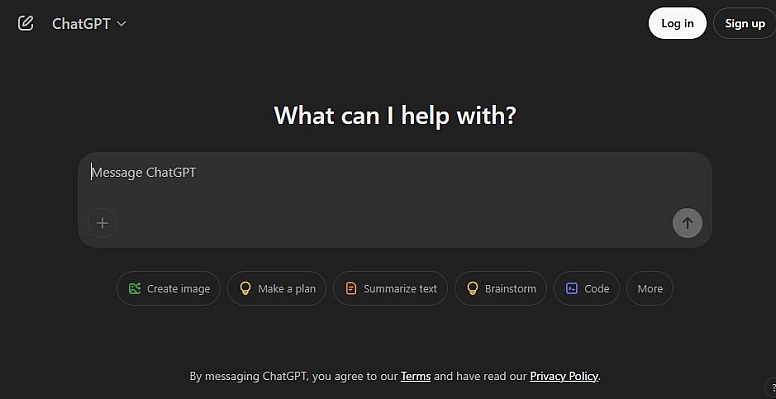
The newer models can browse the web, run Python, read PDFs, and remember context across conversations.
What Are ChatGPT’s Pros?
- Extremely versatile - useful for almost any text or reasoning task.
- Custom GPTs let you build mini-assistants tuned to specific workflows.
- Strong free tier, with affordable Plus and Team plans for heavier users.
How to Use ChatGPT
- Start a new chat and describe what you need - a draft, a summary, code, or an outline.
- Upload files (PDFs, spreadsheets, images) for analysis or rewriting.
- Save prompts you reuse as Custom GPTs so you don't rebuild them every time.
ChatGPT works particularly well when paired with research-focused workflows, including the kind of content discovery and citation work that's becoming central to modern SEO.
3. Claude – The Thoughtful Long-Form Writing and Analysis Partner
Feature Highlight: Anthropic's Claude has earned a reputation as the AI assistant of choice for writers, researchers, and developers who value nuance.

It handles very long documents in a single prompt, follows complex instructions closely, and tends to produce cleaner first drafts than most alternatives. It's also strong at coding, with a Projects feature that lets you give it a persistent set of files to work from.
What Are Claude’s Pros?
- Excellent at long-form writing, editing, and document analysis.
- Large context window - feed it entire books, codebases, or research papers.
- Artifacts feature renders code, documents, and interactive previews alongside the chat.
How to Use Claude
- Paste or upload the document, codebase, or dataset you want to work with.
- Give Claude a clear brief - tone, length, audience, and constraints.
- Iterate. Claude responds well to "tighten this", "make it more conversational", or "rewrite section 3 from a skeptic's point of view".
For anyone whose job involves a lot of reading, summarising, or drafting, Claude pairs nicely with general assistants - many people use ChatGPT for quick tasks and Claude when the work needs more care.
4. Notion AI – Knowledge Management with a Built-In Brain
Feature Highlight: Notion AI lives inside the Notion workspace millions of teams already use for docs, wikis, project management, and notes.

It can summarise long pages, generate first drafts, translate, extract action items from meeting notes, and answer questions using your entire workspace as context. The appeal is that the AI sits exactly where your knowledge already lives.
What Are Notion AI’s Pros?
- No need to leave your existing docs or switch tools to use AI.
- Q&A feature searches across your whole workspace, not just the page you're on.
- Useful for meeting notes, project briefs, and lightweight internal wikis.
How to Use Notion AI?
- Type /ai inside any Notion page to summarise, translate, or rewrite.
- Use Notion Q&A to ask questions about anything in your workspace.
- Set up AI-assisted templates for recurring docs, such as weekly updates or post-mortems.
If your team already runs on Notion, turning on AI is a low-effort upgrade with immediate payoff.
5. Grammarly – Beyond Spell Check, Into Real Editing
Feature Highlight: Grammarly has quietly evolved from a grammar checker into a full AI writing assistant.
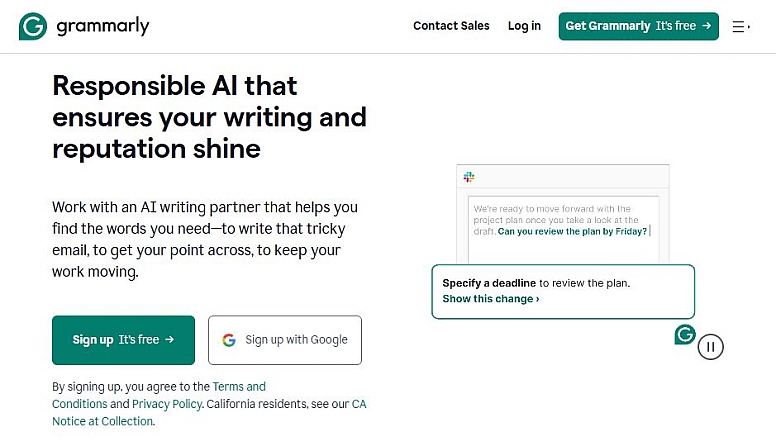
It still catches typos and awkward phrasing, but the newer generative features can rewrite paragraphs for tone, shorten messages, expand bullet points into prose, or generate first drafts from a quick brief - all without leaving the app you're writing in.
What Are Grammarly’s Pros?
- Works in browsers, email clients, Word, Google Docs, Slack, and most desktop apps.
- Tone suggestions help adjust messages for context (formal email vs. casual Slack).
- Generative rewrites are quick and stay close to your original voice.
How to Use Grammarly
- Install the Grammarly browser extension or desktop app.
- Write as normal - suggestions appear inline as you type.
- Highlight any block of text and use the generative tools to rewrite, shorten, or change tone.
It's the kind of tool you stop noticing after a week, which is usually a sign it's doing its job.
6. Midjourney – AI Image Generation for People Who Care About How Things Look
Feature Highlight: Midjourney remains the standout for high-quality, stylised AI image generation.

Designers, marketers, and creators use it for moodboards, concept art, social media visuals, blog illustrations, and product mockups. The aesthetic is distinctive - even quick prompts tend to come out looking polished.
What Are Midjourney Pros?
- Outstanding image quality, especially for illustration, photography, and concept work.
- Strong control over style, aspect ratio, and composition through prompt parameters.
- Active community for inspiration and prompt-sharing.
How to Use Midjourney
- Sign up at midjourney.com and access the web interface (or Discord, if you prefer).
- Write a prompt describing what you want - subject, style, mood, lighting.
- Pick your favorite from the variations and upscale or refine it.
For teams building visual content libraries, Midjourney pairs well with video and motion tools to take an idea from still image to finished short.
7. Otter.ai – Meeting Notes That Actually Get Written
Feature Highlight: Otter.ai attends your online calls, transcribes them in real time, identifies speakers, and produces a summary with action items at the end.
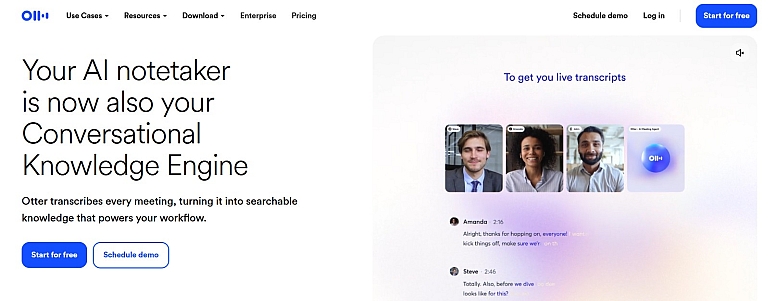
For anyone who spends half their week in meetings, it's the difference between scribbling notes you'll never read and having a searchable record of every conversation.
What Are Otter.ai’s Pros?
- Real-time transcription with surprisingly accurate speaker labels.
- Automatic summaries and action item extraction after each call.
- Searchable archive - find that one thing someone said three months ago.
How to Use Otter.ai
- Connect Otter to your calendar so it auto-joins scheduled meetings.
- Let it record and transcribe in the background while you focus on the conversation.
- Review the AI-generated summary and share action items with the team afterward.
It's especially useful for client calls, interviews, and remote teams where notes need to live somewhere everyone can find them.
8. Canva Magic Studio – AI for Non-Designers (and Designers in a Hurry)
Feature Highlight: Canva's Magic Studio is a suite of AI features built into the design tool that millions already use.

It includes Magic Write (text generation), Magic Design (auto-generated layouts from a prompt), Magic Edit (object replacement in images), Magic Eraser, background removal, and a video generator. The whole point is that you can go from idea to a polished, on-brand graphic without ever opening Photoshop.
What Are Canva Magic Studio’s Pros?
- Tightly integrated with Canva's templates, brand kits, and asset library.
- One subscription covers design, AI generation, image editing, and basic video.
- Outputs are ready to publish for social media, presentations, or marketing.
How to Use Canva Magic Studio
- Open a new design in Canva and describe what you want - Magic Design will draft layouts.
- Use Magic Edit or Magic Eraser to tweak images without leaving the app.
- Apply your brand kit so AI-generated content stays visually consistent.
For small teams without a dedicated designer, Magic Studio handles a huge percentage of day-to-day visual work.
Summary
The honest truth about AI tools in 2026 is that no single one does everything well. The most productive people aren't the ones who picked the "best" tool - they're the ones who built a small stack that fits their workflow.
A platform like Glean for finding and surfacing information across your company, ChatGPT or Claude for thinking and writing, Notion AI for capturing knowledge, Grammarly for polishing, and Midjourney or Canva when it's time to make something visual - that combination covers most of what knowledge workers and creators actually do in a week.
Start with one. Learn it properly. Add the next when you hit a wall that the first one can't handle. The tools change every few months, but the habit of working with AI is the part that actually compounds.






0.3001