



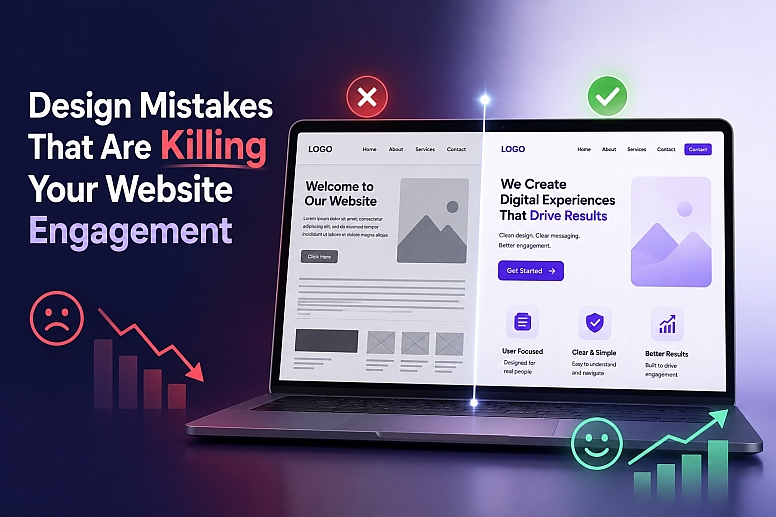
8 Design Mistakes That Are Killing Your Website Engagement
Many business owners think that the more beautiful the website is, the better it will perform. Unfortunately, this is not always the case.
Your website may look really nice with all the fancy graphics, sophisticated branding, and high-quality content. However, it can face a lot of challenges in terms of keeping users interested in staying longer. It is the first impression a website makes that keeps visitors or drives them away.
And that’s precisely why the consequences of website design mistakes can be far more serious than most people think. Little usability issues can lead to disengagement, fewer queries posed, less trust, and a high bounce rate.
Users have very high expectations of modern-day websites. They expect-
- Fast-loading pages
- Mobile-friendly experiences
- Clear and intuitive navigation
- Professional and trustworthy layouts
- Content that is easy to read
- Websites optimized for modern search behavior
Why Website Engagement Often Declines
One of the major factors causing problems for websites is the emphasis on visual appeal rather than on user behavior.
At first, it may be attractive to visit a site, but if the visitor can’t find what they want soon enough, then the design is actually working against the business.
The most common problems with UX design stem from prioritizing design over usability. Design is important, but usability keeps visitors coming back.
These are the problems users face due to the business's mistakes, as shown in the chart.
|
Design Mistake |
Impact on Website Performance |
|
Slow page speed |
Higher bounce rate and abandoned sessions |
|
Poor mobile experience |
Lower engagement and mobile conversions |
|
Confusing navigation |
Visitors leave before taking action |
|
Outdated design |
Reduced trust and credibility |
|
Weak SEO structure |
Lower search visibility |
|
Poor readability |
Visitors spend less time on pages |
|
Inconsistent branding |
Weak brand recognition |
Common Website Design Mistakes That Reduce User Engagement
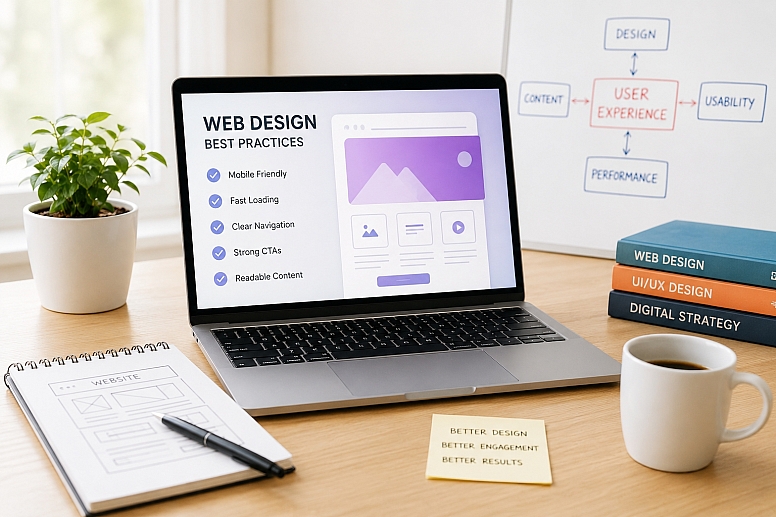
- Ignoring Mobile-Friendly Web Design
Mobile users are now responsible for a significant amount of website traffic. When websites do not take into account the factor of mobile friendliness, then that becomes a negative experience for the user right away. The reading of the text becomes hard, and the buttons are difficult to click; customers leave.
Common problems users experience on non-responsive websites-
- Text appears too small on mobile displays
- Layouts that need zooming or horizontal scrolling
- Buttons were put too close together
- Content that fails to adjust to various screen sizes
How to fix it?
- Use a responsive design framework.
- Test pages across numerous devices
- Design layouts using a mobile-first strategy
Strong mobile responsiveness increases usability, engagement, and search visibility.
- Core Web Vitals
Core Web Vitals measure how users experience your website's loading speed, responsiveness, and visual stability. Poor Core Web Vitals can make a website feel slow, unresponsive, or unstable, leading visitors to leave before engaging with the content.
Common Core Web Vitals issues-
- Slow loading of key page elements
- Delayed response to user interactions
- Layout shifts that cause content to move unexpectedly
- Heavy scripts affecting page performance
How to improve?
- Optimize images and media files.
- Reduce unnecessary JavaScript
- Reserve space for images and dynamic content
- Improve server response times and caching
Strong Core Web Vitals create a smoother user experience, improve engagement, and support better search visibility.
- Confusing Website Navigation
Navigation should guide customers without making them think. When menus are cluttered or poorly designed, customers have difficulty finding information and leave without investigating further.
This is one of the most common UI UX design blunders found on business websites.
Navigation issues that hurt the user experience-
- Too many menu items
- Labels that are unclear or creative can confuse users
- Inconsistent navigation throughout the pages
- Important pages are buried deep within menus
How to improve navigation-
- Keep menus basic and logical
- Use clear and familiar labels
- Maintain a consistent structure across the website
Clear navigation makes customers feel more confident and in charge.
- Overloaded and Cluttered Design
Attempting to overwhelm the visitor with design elements often achieves quite the contrary effect. The use of too much colour, font, animation, and pop-up messages will most likely deter visitors from getting the important information.
Signs your designs are too clustered-
- Too many colours or font types
- Multiple pop-ups display at once
- No noticeable visual hierarchy
How to fix it?
- Use white space to enhance clarity.
- Limit the fonts and colours.
- Highlight only the important sections.
A clean layout makes the website appear fresher and more user-friendly.
- Inconsistent Branding and Visual Style
Consistency promotes trust. When fonts, colours, and layouts shift from page to page, visitors have a hidden sense that something is wrong.
Inconsistent design weakens brand identification and affects usability.
Common branding-related website design mistakes-
- Fonts differ on various pages
- Random colour usage
- Inconsistent button styles
How to maintain consistency-
- Define clear brand guidelines
- Maintain the same typography and colour scheme throughout
- Maintain standard layouts and UI elements
Consistency increases recognition and simplifies navigation for users.
- Weak or Missing Call to Action (CTA)
A website should direct users towards a specific objective. Even if users like what they see, without clear CTAs, they don't know what to do. One of the top UI UX mistakes is this.
CTA problems that reduce conversions-
- No CTA on important pages
- Vague or passive CTA text
- Lack of visual contrast for CTAs
How to improve CTAs-
- Use simple and action-oriented language
- Place CTAs where people would naturally scroll
- Make CTAs visually stand out
Effective CTAs play an important part in improving user experience during website journeys.
- Poor content readability
Good content loses value if it is difficult to read. Long paragraphs, small fonts, and tight spaces leave users feeling drained and uninterested.
Readability issues that affect UX-
- Large blocks of text
- Insufficient line space
- Low contrast between the text and the background
How to improve readability?
- Break text into short paragraphs.
- Use headers and subheadings.
- Maintain readable font sizes.
Readable material keeps people interested and increases their stay on the site.
- Ignoring Accessibility and UX Best Practices
Accessibility plays an important role when it comes to user experience. By ignoring accessibility, you make it difficult for users to enjoy using your website.
Common accessibility-related mistakes-
- Missing alt text for images
- Poor colour contrast
- No keyboard navigation support
How to improve accessibility-
- Add descriptive alt text
- Use the proper header structure
- Ensure adequate colour contrast
Accessibility benefits all users, not just a few.
How Fixing These Website Design Mistakes Changes Results
When businesses address these issues, improvements often become noticeable relatively quickly.
A website that combines strong usability, performance, and modern design can help-
- Increase engagement time
- Reduce bounce rate
- Improve Google rankings
- Generate more qualified leads
- Strengthen brand credibility
- Improve mobile conversions
- Enhance visibility in AI-powered search environments
It’s not just about building a website that looks good. It’s about building a website that helps you grow your business.
Most companies spend a tremendous amount of time and money on trying to increase website traffic, but that is only part of the problem. The actions users take once they are on a website often play a bigger role in conversions and commercial success.
A well-designed website lets users find information, get things done, and navigate without frustration. Seamless user experience, easy-to-use design, and clear navigation all help keep visitors interested and encourage them to move on. But basic design and usability issues can easily be a turn-off for potential clients.
Whether you’re creating a new website or improving an existing one, usability and user experience are just as important as visual appeal. A practical and easy-to-use website is far more likely to build trust, increase engagement, and foster long-term business growth.







0.3085