



Best WordPress Plugins for Agencies Managing Client Websites
Managing multiple WordPress websites is a demanding task for any digital agency. From maintaining website security and performance to managing customer data, updating content, and handling eCommerce operations, there is always something that requires attention.
As an agency grows, these responsibilities become even more challenging. What works for managing two or three websites may not be practical when handling 20 or 50 client projects. Repeating the same administrative tasks across multiple websites can consume valuable time that could otherwise be spent on development, marketing, and improving client results.
This is where WordPress plugins become especially useful. With the right tools, agencies can automate routine operations, simplify website maintenance, manage WooCommerce stores efficiently, and provide a more consistent experience across client projects.
However, not every plugin is necessary for every website. A content-focused business website has different requirements from a large WooCommerce store or a wholesale business. Choosing plugins based on the specific needs of each client is essential.
We'll look at 15 useful WordPress plugins for agencies managing client websites in 2026, covering website management, security, backups, SEO, performance, privacy, eCommerce automation, and more.
Why Do WordPress Agencies Need Dedicated Plugins?
WordPress provides a flexible foundation for building different types of websites. However, agencies often need extra tools to manage websites once they’re live.
For example, an agency managing several client websites may need to update plugins regularly, monitor security threats, create backups, and prepare monthly performance reports. Agencies working with WooCommerce clients may also need to handle product migrations, invoice generation, promotional campaigns, and order fulfillment.
Using the right plugins helps agencies keep these processes consistent and cut down on manual work.
Some of the main benefits include:
- Centralized website management: Manage maintenance tasks across multiple websites from a single dashboard.
- Improved website security: Monitor threats, detect suspicious activity, and protect client websites.
- Automated operations: Reduce repetitive tasks such as backups, invoice generation, and product data transfers.
- Better website performance: Improve loading speeds and provide a smoother browsing experience.
- Simplified eCommerce management: Handle WooCommerce products, orders, promotions, and customer workflows.
- More consistent client delivery: Build a process your team can repeat for every client.
Let's look at the plugins that can help agencies handle these responsibilities.
1. ManageWP – Manage Multiple WordPress Websites
Best for: Centralized website maintenance and client management.
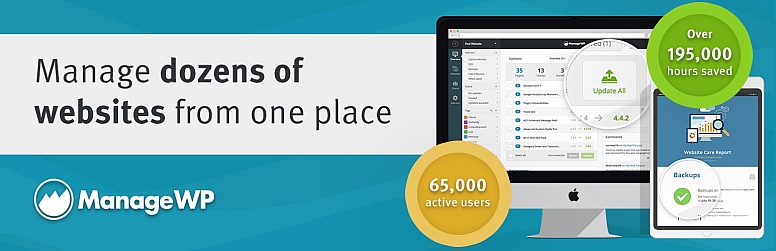
Managing several WordPress websites individually can become time-consuming, especially when each website requires regular updates and maintenance. ManageWP solves this with one dashboard where agencies can monitor and manage multiple WordPress sites.
Instead of logging into each client website separately, agency teams can perform routine maintenance tasks from one interface. ManageWP supports bulk updates, website monitoring, backups, and client reporting. Its reports are especially useful for agencies offering ongoing maintenance, since they make it easy to show clients what work was done.
Key Features
- Centralized dashboard for managing multiple WordPress websites.
- Bulk WordPress core, theme, and plugin updates.
- Website backup and restoration options.
- Uptime monitoring and performance checks.
- Client reporting for maintenance activities.
- Website cloning and migration functionality.
Why agencies should consider it: ManageWP is particularly useful for agencies maintaining multiple client websites under monthly support contracts. It reduces the need to switch between dashboards and helps keep routine maintenance organized.
2. Wordfence Security – Protect Client Websites
Best for: WordPress security and malware protection.

Website security is one of the most important responsibilities of a WordPress maintenance agency. A compromised client website can lead to downtime, data exposure, and damage to the client's reputation. Agencies therefore need tools that help identify vulnerabilities and detect suspicious activities before they become serious problems.
Wordfence Security provides a WordPress firewall, malware scanning, login security, and threat monitoring features. It helps website administrators identify potentially malicious files, suspicious login attempts, and other security concerns. For agencies working with business websites and online stores, these capabilities provide an additional layer of protection alongside secure hosting, regular updates, and reliable backups.
Key Features
- Web application firewall for WordPress.
- Malware scanning and file integrity monitoring.
- Login security and two-factor authentication.
- Brute-force attack protection.
- Security alerts and vulnerability notifications.
- Monitoring of suspicious website activity.
Why agencies should consider it: Wordfence helps agencies establish consistent security practices across client websites and identify issues that require immediate attention.
3. UpdraftPlus – Automate Website Backups
Best for: Website backups, restoration, and disaster recovery.

Regular backups are essential when managing client websites. A failed update, hosting issue, accidental deletion, or security incident can cause real problems if there's no recent backup. For agencies, having a reliable recovery process is just as important as preventing website problems.
UpdraftPlus is a WordPress backup plugin that allows administrators to create scheduled backups and restore website files and databases when necessary. It also supports remote storage integrations, allowing backups to be stored separately from the live website. Agencies can use it to establish consistent backup schedules across client projects and reduce the risk of permanent data loss.
Key Features
- Automated scheduled website backups.
- Backup and restoration of WordPress files and databases.
- Remote cloud storage integrations.
- Manual backups before major updates.
- Website migration and cloning options.
- Incremental backup functionality in premium plans.
Why agencies should consider it: UpdraftPlus is useful for agencies that regularly perform updates, redesigns, or maintenance activities and need a dependable recovery option when something goes wrong.
4. Rank Math SEO – Optimize Client Websites for Search Engines
Best for: WordPress SEO management and content optimization.
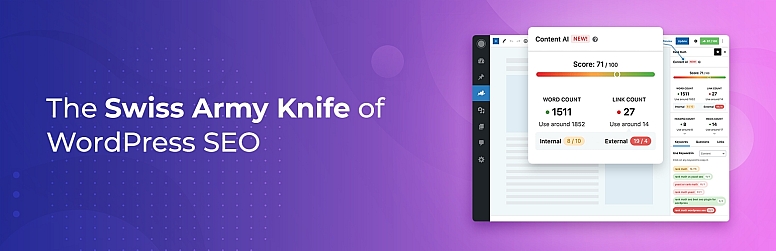
Search engine optimization is often an ongoing responsibility for agencies that build or maintain business websites. Beyond publishing content, agencies need to manage metadata, technical SEO settings, structured data, sitemaps, and other elements that influence how search engines understand a website.
Rank Math SEO provides tools for managing these activities directly within WordPress. It allows agencies to optimize pages and posts, configure XML sitemaps, implement schema markup, and monitor selected SEO issues. For agencies offering content marketing or SEO services, having a consistent plugin across client websites can simplify optimization and troubleshooting.
Key Features
- SEO title and meta description management.
- On-page content optimization suggestions.
- XML sitemap generation.
- Schema markup and structured data options.
- Redirect management and 404 monitoring.
- Integration with Google Search Console.
Why agencies should consider it: Rank Math helps agencies keep on-page and technical SEO settings consistent across client sites while making everyday content optimization easier.
5. WP Rocket – Improve Website Speed and Performance
Best for: WordPress caching and performance optimization.
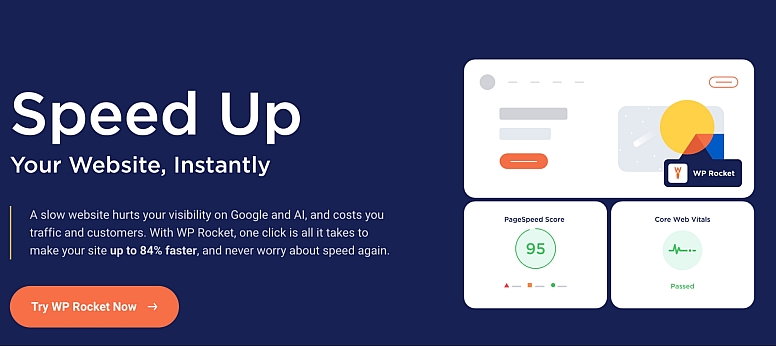
Website performance directly affects the user experience. Slow-loading pages can frustrate visitors, interrupt shopping experiences, and make even a well-designed website feel difficult to use. Agencies managing WordPress websites need to consider performance as part of their regular maintenance process.
WP Rocket is a premium WordPress performance plugin designed to improve loading times through caching and other optimization techniques. It includes features for page caching, cache preloading, lazy loading, and optimizing selected CSS and JavaScript delivery. Agencies can use it to improve performance on suitable websites without implementing every optimization manually.
Key Features
- WordPress page caching.
- Cache preloading.
- Browser caching support.
- Lazy loading for images and other media.
- CSS and JavaScript optimization options.
- Database cleanup tools.
Why agencies should consider it: WP Rocket can help agencies maintain faster WordPress websites, particularly when managing content-heavy business websites and WooCommerce stores. Performance settings should be tested carefully to prevent conflicts with interactive website features.
6. GDPR Cookie Consent by WebToffee – Manage Website Cookie Consent
Best for: Cookie consent management and privacy requirements.
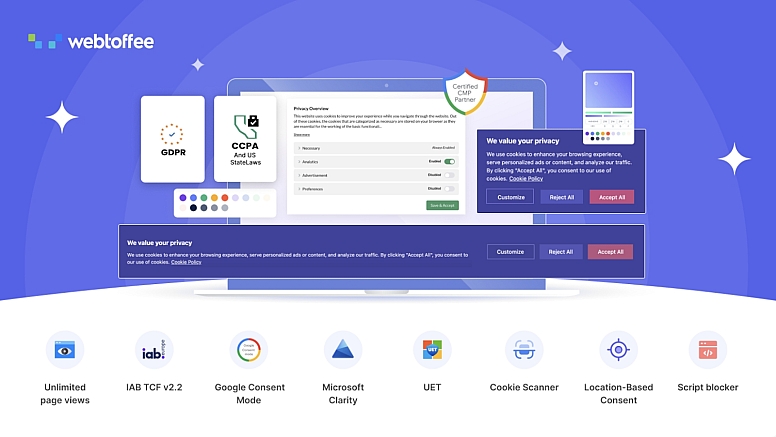
Agencies often work with clients serving customers from different countries, each with its own privacy regulations and expectations. Websites using analytics, advertising, or third-party tracking technologies may need appropriate cookie consent mechanisms before deploying non-essential cookies.
The GDPR Cookie Consent plugin by WebToffee allows agencies to configure cookie consent banners and manage visitor preferences on WordPress websites. It supports customizable consent notices, cookie scanning, script blocking, consent logging, CCPA and US state privacy law compliance, and Google Consent Mode v2 integration. Agencies can adapt consent settings to match different website requirements instead of developing a consent management system from scratch.
Key Features
- Customizable cookie consent banners.
- Accept, reject, and granular cookie preference options.
- Cookie scanning and categorization.
- Automatic blocking of configured non-essential scripts.
- Google Consent Mode v2
- Consent logs and multilingual support.
Why agencies should consider it: This plugin is useful for agencies managing websites that use analytics, advertising tools, or marketing cookies, especially when privacy requirements vary by client or geographic market. It helps with compliance, but the final setup and legal requirements should still be checked for each website.
7. WooCommerce PDF Invoices & Packing Slips – Automate Order Documents
Best for: WooCommerce invoice generation and order documentation.
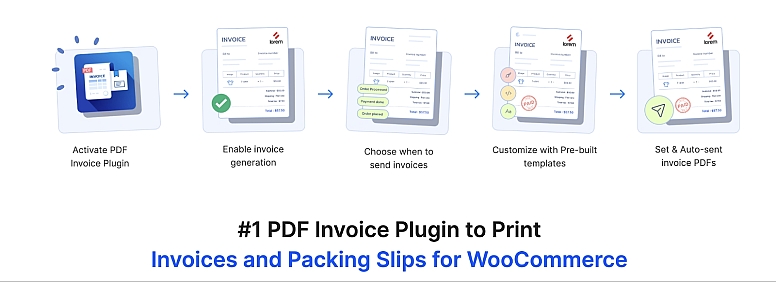
Agencies managing WooCommerce stores often receive requests to customize invoices, automate customer documentation, or improve order processing. Manually preparing invoices for every purchase is not practical for stores processing large numbers of orders.
The PDF Invoices & Packing Slips for WooCommerce helps automate document generation. It allows store owners to create PDF invoices based on order status, attach them to customer emails, and provide invoice downloads through customer accounts. The plugin also supports customizable document layouts and additional order documents, making it useful for agencies developing stores with specific accounting and fulfillment needs. A free version is also available, offering essential features for generating and managing PDF invoices and packing slips in WooCommerce.
Key Features
- Automatic WooCommerce PDF invoice generation.
- Invoice attachments in customer order emails.
- Customizable invoice templates and branding.
- Packing slip and credit note generation.
- Bulk invoice printing and exporting.
- VAT/GST information and multilingual invoice support.
Why agencies should consider it: The plugin helps agencies deliver automated invoicing workflows for WooCommerce clients and cuts down the admin work of preparing and sending order documents.
8. Import Export Suite for WooCommerce – Manage Store Data
Best for: WooCommerce data migration and bulk data management.
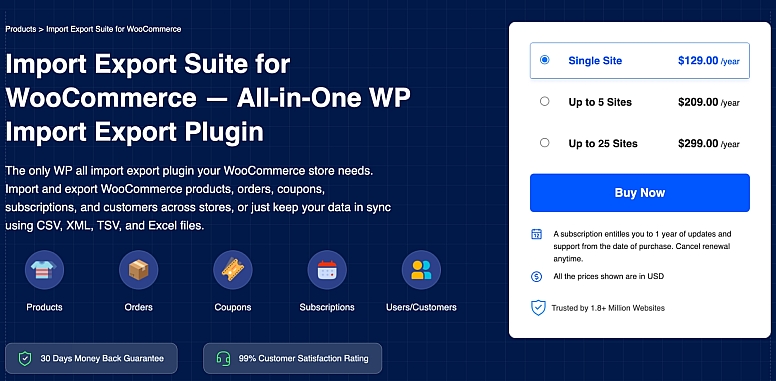
Migrating an online store involves much more than moving products from one website to another. Agencies may need to transfer customer accounts, orders, coupons, reviews, subscriptions, and other store information without breaking how it all links together.
Import Export Suite for WooCommerce combines several data tools into one plugin. It supports importing and exporting products, orders, customers, coupons, subscriptions, and reviews through multiple file formats. Agencies can use filtering, field mapping, and scheduling options to manage complex migrations or recurring data transfers between WooCommerce stores and external systems.
Key Features
- Import and export products, orders, customers, and coupons.
- Support for subscriptions and product reviews.
- CSV, XML, TSV, and Excel file support.
- Advanced filters and column mapping.
- Bulk updates to existing store data.
- Scheduled import and export tasks using FTP/SFTP.
Why agencies should consider it: The Import Export Suite is particularly useful for agencies building new WooCommerce stores, migrating client websites, or maintaining stores that require frequent bulk data updates.
9. Smart Coupons for WooCommerce – Manage Promotions and Discounts
Best for: WooCommerce promotional campaigns and customer retention.
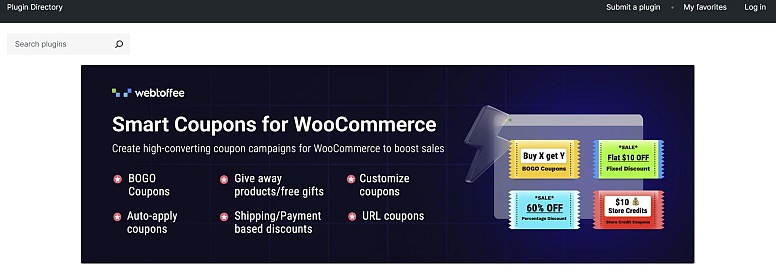
Many eCommerce clients rely on promotional campaigns to attract customers, encourage repeat purchases, and improve sales during seasonal events. While WooCommerce includes basic coupon functionality, more complex promotional strategies often require additional flexibility.
Smart Coupons for WooCommerce by WebToffee extends the default coupon system with options for BOGO promotions, giveaways, gift cards, store credits, and conditional discounts. Agencies handling marketing campaigns can configure offers based on products, customer behavior, purchase conditions, and campaign periods.
This makes it easier to manage promotions without manually modifying product prices whenever a new campaign begins. A free version is also available, providing essential coupon management features for creating and managing promotional offers in WooCommerce.
Key Features
- Buy One Get One and Buy X Get Y promotions.
- Auto-apply coupons.
- Gift cards and store credits.
- Coupon scheduling and expiration controls.
- Advanced coupon usage restrictions.
- Bulk coupon generation and abandoned cart coupon options.
Why agencies should consider it: Smart Coupons are useful for agencies managing WooCommerce marketing activities, particularly when clients run frequent sales, seasonal discounts, or customer loyalty campaigns.
10. Sequential Order Numbers for WooCommerce by WebToffee – Organize Store Orders
Best for: Custom WooCommerce order numbering.
Clear and consistent order numbering can make a noticeable difference in everyday store administration. WooCommerce order IDs aren't always one simple, unbroken sequence of numbers, which can make it harder for store teams to reference orders quickly.
The Sequential Order Numbers plugin by WebToffee allows store owners to use a separate, customized order numbering sequence. Agencies can configure numbering formats that include prefixes, suffixes, and starting numbers to match a client's preferred workflow.
This can be useful for businesses that want recognizable order references in customer communication, reports, and internal records. A free version is also available, allowing store owners to generate sequential order numbers with basic customization options in WooCommerce.
Key Features
- Custom sequential WooCommerce order numbering.
- Configurable order number prefixes and suffixes.
- Custom starting numbers.
- Flexible numbering formats.
- Numbering options for different order requirements.
- Compatibility with supported WooCommerce workflows.
Why agencies should consider it: The plugin is helpful for agencies building stores where organized order references are important for customer support, fulfillment, or internal administration.
11. WooCommerce Product Feed – Manage Multichannel Product Listings
Best for: Product feeds and multichannel eCommerce marketing.
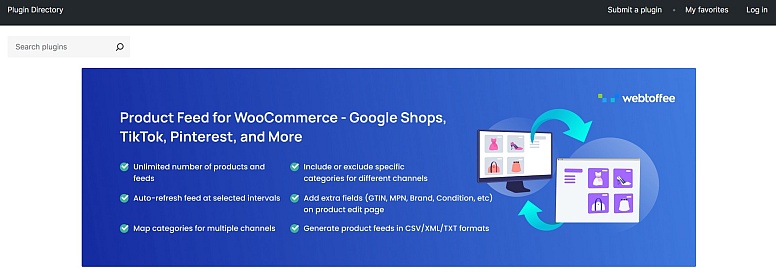
Agencies working with online retailers are often responsible for promoting products beyond the client's website. Platforms such as Google Shopping, Facebook, Instagram, and Pinterest can introduce products to new audiences, but keeping product information accurate across channels takes careful upkeep.
The WooCommerce Product Feed plugin by WebToffee enables store owners to create product feeds for multiple shopping and advertising platforms. Agencies can configure product attributes, filter which products appear in feeds, and schedule updates to help keep catalog information current.
This reduces the manual work involved in preparing product information separately for each platform. A free version is also available, offering essential features for generating and managing product feeds for supported shopping channels.
Key Features
- Product feed generation for multiple sales channels.
- Support for Google Shopping and social commerce platforms.
- Custom product attribute mapping.
- Advanced product filtering.
- Scheduled feed updates.
- Multilingual and multicurrency feed support.
Why agencies should consider it: This plugin can help eCommerce marketing agencies manage product listings across several advertising and shopping platforms without rebuilding catalog files by hand for each one.
12. Request a Quote for WooCommerce by WebToffee – Support Custom Pricing
Best for: B2B WooCommerce stores and custom quotations.
Not every WooCommerce business operates with fixed product prices. Wholesale suppliers, manufacturers, service providers, and businesses selling customizable products may need to discuss pricing with customers before confirming an order.
The Request a Quote plugin by WebToffee adds quote-request features to WooCommerce. Customers can select products, submit quote requests, and communicate with the store about pricing. Agencies can configure quote buttons, control price visibility, and set up a process for clients who negotiate prices or handle bulk orders. The plugin also supports generating PDF quotations and managing customer notifications.
Key Features
- Add to Quote buttons on WooCommerce products.
- Option to hide product prices and Add to Cart buttons.
- Customer quotation request forms.
- Email notifications and quote status updates.
- PDF quotations.
- Conversion of accepted quotes into WooCommerce orders.
Why agencies should consider it: This plugin is suitable for agencies creating B2B, wholesale, or custom-order stores where customers need to request pricing before completing a purchase.
13. WooCommerce Shipping Labels, Dispatch Labels and Delivery Notes– Simplify Fulfillment
Best for: WooCommerce shipping documentation.
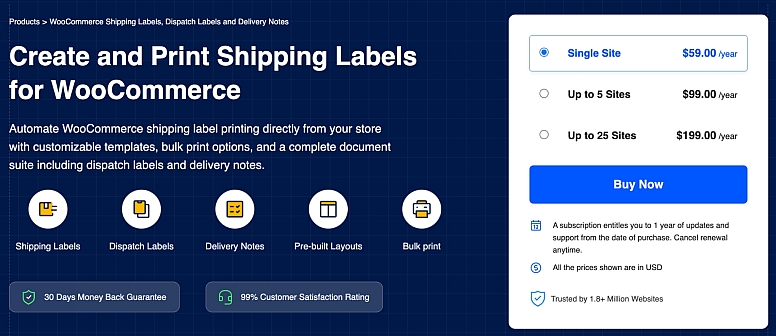
Order fulfillment is another important aspect of managing an online store. Businesses processing physical product orders need accurate shipping documents to support packing, dispatching, and delivery. Preparing those documents manually can become increasingly difficult as order volumes grow.
The WooCommerce Shipping Labels, Dispatch Labels and Delivery Notes plugin by WebToffee helps automate the preparation and printing of fulfillment documents. Agencies can configure shipping label layouts, customize the information displayed, and enable bulk printing for multiple orders. This can be useful for clients that operate their own warehouses or require standardized packing and dispatch processes.
Key Features
- WooCommerce shipping label generation.
- Bulk printing of shipping labels.
- Customizable shipping label templates.
- Dispatch label generation.
- WooCommerce delivery notes.
- Flexible label layout and document settings.
Why agencies should consider it: The plugin helps agencies set up more efficient document workflows for WooCommerce clients managing physical products and regular shipments.
14. WooCommerce Product Recommendations – Improve Product Discovery
Best for: WooCommerce upselling and cross-selling.
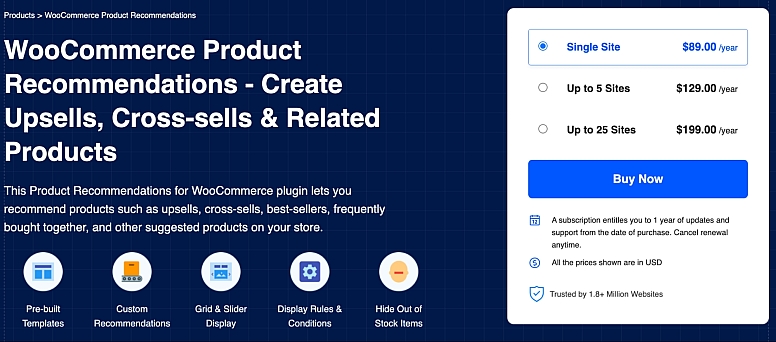
Helping customers discover relevant products is an important part of improving the shopping experience. For WooCommerce agencies, product recommendations help shoppers find their way around the store more easily, while nudging them toward related or pricier items.
WooCommerce Product Recommendations by WebToffee allows store owners to display related products, bestsellers, frequently bought together items, recently viewed products, and other recommendations. Agencies can configure rules to control which items are displayed and where recommendation sections appear throughout the store. The plugin supports layouts such as grids and sliders, making it adaptable to different storefront designs.
Key Features
- Upsell and cross-sell product recommendations.
- Frequently bought together suggestions.
- Bestseller and top-rated product displays.
- Recently viewed and new arrival recommendations.
- Custom recommendation rules and conditions.
- Grid and slider display options.
Why agencies should consider it: The plugin is useful for agencies working on WooCommerce conversion optimization, merchandising, and improving product discovery across client stores.
15. EU Order Withdrawal Button for WooCommerce – Manage Withdrawal Requests
Best for: WooCommerce stores selling to EU consumers.

Agencies managing international eCommerce websites sometimes need features built for a specific market's consumer-protection rules. For WooCommerce stores serving European Union customers, the ability to submit and manage eligible order withdrawal requests is an important consideration.
The EU Order Withdrawal Button plugin helps store owners set up a withdrawal request process in WooCommerce. It allows eligible customers to submit requests and provides administrators with tools to review and process them. Agencies can configure withdrawal periods, product exclusions, and where withdrawal options appear based on the client's policies and applicable requirements. A free version is also available, offering essential features for adding a withdrawal button and managing customer withdrawal requests in WooCommerce.
Key Features
- Customer-facing order withdrawal options.
- Withdrawal request management.
- Configurable withdrawal periods.
- Product and category exclusion settings.
- Geolocation-based display controls.
- Withdrawal-related refund and order management options.
Why agencies should consider it: This plugin is particularly relevant for agencies developing WooCommerce stores that serve EU consumers and need a structured process for handling eligible withdrawal requests. Just check the legal requirements and store policies before setting it up.
How to Choose the Right WordPress Plugins for Agency Clients
Although the plugins listed above cover a lot of what agencies need, agencies should avoid installing every plugin on every client website.
A better approach is to select tools based on the website's purpose, business requirements, and maintenance needs.
1. Identify the Client's Primary Requirements
Start by understanding what the website needs to accomplish. A corporate website may require SEO, security, performance, and cookie consent tools, while a WooCommerce store may additionally need invoice generation, product imports, marketing promotions, and fulfillment documentation.
2. Prioritize Security and Maintenance
Security updates, backups, and recovery processes should be considered before adding optional website features. Agencies should also define who is responsible for monitoring website health and resolving issues.
3. Look for Opportunities to Automate
Tasks performed repeatedly are good candidates for automation. These may include website backups, plugin updates, customer invoicing, product imports, and shipping document preparation.
Reducing repetitive administrative work allows agency teams to focus more attention on development and client outcomes.
4. Consider Compatibility and Performance
Before installing a plugin, check whether it works with the website's WordPress version, theme, hosting environment, and existing extensions.
For WooCommerce websites, compatibility with the checkout, how orders are stored, and other store features is especially important. New plugins and major updates should be tested on a staging website whenever possible.
5. Evaluate Licensing and Long-Term Costs
Agencies managing numerous websites should review licensing terms, subscription renewals, available support, and installation limits.
A plugin that is affordable for one website may become expensive when used across dozens of client projects. A multi-site license can make costs easier to manage, where it's available.
6. Standardize Tools Across Similar Projects
Using a consistent set of reliable plugins across similar websites makes maintenance easier. Team members become familiar with configuration options, troubleshooting procedures, and documentation.
But sticking to a standard toolkit shouldn't come before what each client actually needs. The final plugin selection should always match the needs of the website.
Frequently Asked Questions
What are the most important WordPress plugins for agencies?
Agencies should generally prioritize website management, security, backup, SEO, and performance tools. Plugins such as ManageWP, Wordfence, UpdraftPlus, Rank Math, and WP Rocket address these requirements. Additional plugins can be selected based on the functionality each client website needs.
Can agencies manage multiple WordPress websites from one dashboard?
Yes. Website management platforms such as ManageWP allow agencies to oversee several WordPress websites through a centralized dashboard. They can help simplify updates, monitoring, backups, and reporting across client projects.
What plugins are useful for agencies managing WooCommerce stores?
Agencies managing WooCommerce stores may benefit from plugins for invoicing, product data management, promotions, product feeds, and shipping documentation. Examples include WooCommerce PDF Invoices & Packing Slips, Import Export Suite, Smart Coupons, and Product Feed by WebToffee.
Do agencies need separate plugins for website security and backups?
Security and backups serve different purposes. Security plugins help prevent or identify threats, while backup plugins provide recovery options when website files or data are lost or damaged. Using both together gives you a more complete maintenance plan.
How many plugins should an agency install on a client website?
There is no ideal number of WordPress plugins. The appropriate number depends on the website's functionality, hosting resources, and the quality of the plugins being used. Agencies should focus on installing necessary, well-maintained plugins rather than adding tools that provide little value or duplicate existing functionality.
Are free WordPress plugins suitable for agency projects?
Yes. Many free WordPress plugins provide useful functionality for smaller projects. However, agencies should evaluate the limitations of free versions, including available features, support, automation options, and licensing requirements. Premium versions may be more practical for websites with advanced business needs.
Conclusion
Managing multiple WordPress client websites becomes much easier when agencies have reliable tools and consistent maintenance processes in place.
Plugins for centralized management, security, backups, SEO, and performance help keep the technical side of client websites running smoothly. For agencies working with WooCommerce businesses, additional tools for invoicing, product migration, promotions, and shipping can make everyday tasks easier.
The most effective approach is not to install as many plugins as possible, but to choose the ones that meet specific needs and cut out unnecessary manual work.







0.4398