


Best Multi-Tenant Headless CMS for Brand Portfolios
Managing several brands usually means simultaneously managing several websites, content teams, and markets. Especially if the portfolio grows, keeping everything consistent becomes even more difficult. Specialists start duplicating content, creating separate workflows, and building different CMS setups. As processes become more inconsistent, teams lose track of where content is stored, how it is managed, and which version is current.
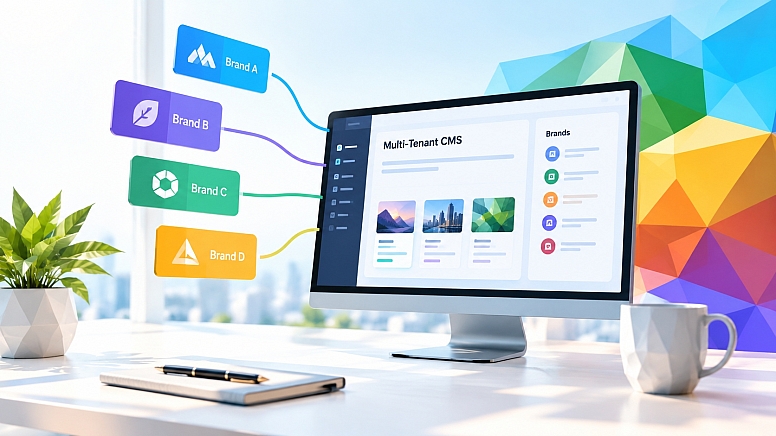
A multi-tenant headless CMS offers another approach. A company does not need to maintain a completely separate content system for every brand. Instead, it can use one shared platform to manage multiple digital properties. Content, permissions, and workflows remain appropriately separated. You achieve the balance between central control and brand independence. That’s why a CMS can be a practical solution for multi-brand companies.
Let’s look at the capabilities that matter and how to choose a platform that 100% fits your needs!
What Should You Look for in a CMS for Multiple Brands?
First, let's specify what a headless CMS actually means. Such platforms separate the content from the website or app where it is displayed. So, the term “headless” refers to this separation between the CMS and the frontend. A traditional CMS manages both the content and how it is displayed on a website. A headless one manages and stores content without controlling how it is presented to users.
Not all headless CMS platforms work the same way. Some are designed around a single content environment. Others allow companies to separate content into different spaces, projects, or datasets. The right choice depends on what you actually need to manage and how. So, before comparing platforms, consider these factors first:
Separate Brand Environments
Decide how much separation each brand needs by looking at your current setup. Do your brands have completely separate content and teams? Do they share a central content operation? If each brand needs its own workflows and publishing process, look for an option that can keep those areas separate.
Content Reuse
Identify which content your brands actually share. Consider corporate information, legal content, product specifications, FAQs, and campaign components here. They may all need to appear across several websites. A good idea here is to make a list of the content you currently duplicate between brands. Then check whether a certain CMS can let you manage that content from one place while still allowing each brand to make its own variations. This will help you avoid maintaining several copies of the same info.
User Permissions and Workflows
Think about everyone who needs access to your CMS. You may have a central marketing team, brand managers, regional editors, external agencies, etc. Now define what each group should be able to do. Who can create content? Who can edit it? Who approves it? Who can publish it? If different teams need different levels of access, look for granular permissions.
Localization
If your brands operate across many markets, look beyond basic translation support. Take one real campaign and map out what usually needs to change between markets. You may need different copy, images, products, promotions, or publishing dates. Check whether the CMS can manage these variations without forcing you to create a completely separate content operation for every single market.
Scalability
Think about how your brand portfolio may change over the next couple of years. Count not only your current brands, but also possible markets, websites, languages, and digital channels you expect to add.
Then ask how the CMS would handle that growth. A setup that works for three brands will become difficult to manage when you have fifteen. A platform should accommodate more brands without requiring you to redesign your content management strategy later.
Integrations
Map the systems your CMS will need to work with. Consider the eCommerce platform, PIM, DAM, search tools, analytics, translation services, custom apps. Then check how each CMS option connects to those exact systems you prefer. If your product data already lives in a PIM, for example, you may not want your content team manually copying it into the CMS. The more systems you rely on, the more important these integrations become.
Flexibility for Different Brands
Finally, compare how similar or different your brands actually are. A shared setup is fine if every brand uses a similar content structure and customer journey. But if one brand runs an editorial-heavy website, another focuses on eCommerce, and a third has a custom customer portal, you will need more flexibility here.
Best multi-tenant headless CMS platforms
1. Hygraph
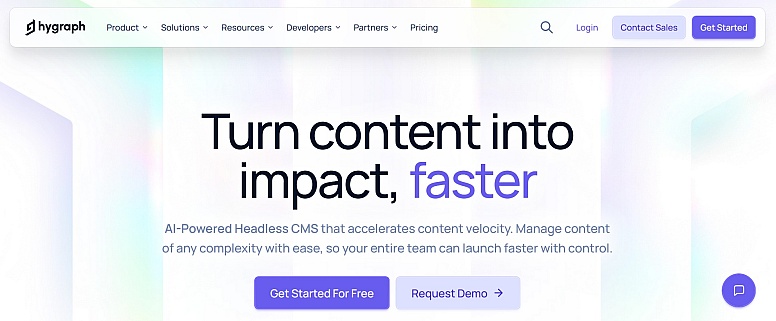
With Hygraph, you centralize content without forcing every brand into the same setup. You define shared content structures and reuse them across brands and markets. Local teams manage their own variations.
Key strengths:
- Shared content foundation
- Brand- and locale-specific permissions
- Content localization and independent publishing by locale
- Content Federation for external data
- One GraphQL API for multiple digital channels
Consider it if you:
- manage multiple brands, markets, or digital properties from one shared content foundation
- want to reduce separate CMS setups while keeping individual brands flexible
2. Contentful
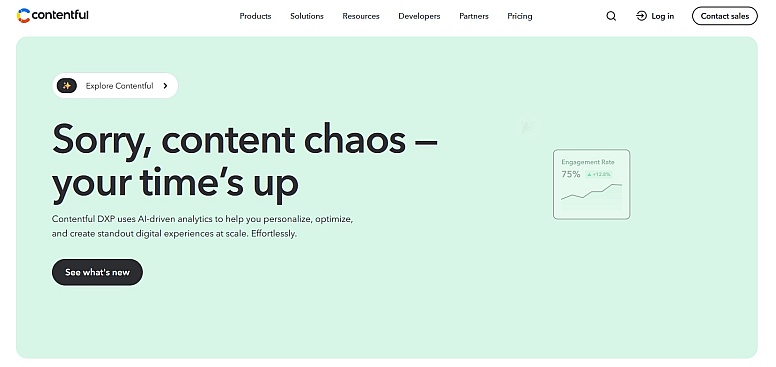
Contentful organizes content through Spaces and organizations. You can separate projects while managing users and permissions centrally. Each Space will have its own content model, locales, roles, and configurations.
Key strengths:
- Separate Spaces for different content operations
- Space- and organization-level roles
- Custom permissions
- Cross-space content reuse
Consider it if you:
- need separate workspaces for different brands or content operations
- want to reuse shared content across multiple Spaces
3. Contentstack
Contentstack focuses on granular access control across teams, environments, and languages. You create custom roles and decide which content, actions, environments, and language versions each role can access.
Key strengths:
- Role-based access controls
- Language-specific permissions
- Team-based access management
- Environment-level publishing access
Consider it if you:
- run a larger organization with multiple teams and markets
- need clearly defined responsibilities across brands, regions, or languages
4. Sanity
Sanity offers several ways to structure a multi-tenant setup using projects, datasets, and member permissions. You create separate datasets for teams, markets, and environments. Shared content is available where needed.
Key strengths:
- Flexible datasets and workspaces
- Custom content structures
- Granular dataset and document permissions
- Shared content across datasets
Consider it if you:
- have brands with different content requirements
- have a development team that needs control over how the CMS is structured
5. Storyblok
Storyblok uses Spaces to separate brands, websites, markets, or other digital properties. Each Space has its own content, users, roles, configurations, and workflows.
Key strengths:
- Separate Spaces for brands and markets
- Visual Editor
- Space-specific roles and permissions
- Content distribution between Spaces
Consider it if you:
- have brands that need a clear degree of separation
- want content teams to work visually while keeping separate brand environments
Key Differences at a Glance
How to Migrate Multiple Brands to a New CMS
Choosing a platform is only the first step. Your next step is moving all brands into one setup without carrying old content and processes into the new system. So, how do you do it right?
1. Review your content and decide what to keep, update, or merge. Remove outdated and duplicate materials.
2. Decide which system should own each type of data. For example, product data - PIM, images - DAM, inventory - eCommerce platform.
3. Separate shared and brand-specific content. Product specifications, corporate information, and legal content can be shared. Brand-specific campaigns, imagery, editorial content, and promotions should remain independent.
4. Define who can create, edit, approve, and publish content, and set these permissions.
5. Use one brand or market as a pilot. Test the content structure, integrations, permissions, localization, and publishing process.
6. Do not test features in isolation. Run an actual workflow, such as launching one campaign across several brands.
7. Migrate in stages! Keep the existing CMS running where necessary and define a clear cutover date for each brand.
8. Keep the essentials in one place: content ownership, permissions, publishing rules, etc.
Conclusion
For a multi-brand business, the key question is how well the CMS fits the structure you already have. And how well it can support the structure you plan to build! Hygraph, Contentful, Contentstack, Sanity, and Storyblok approach multi-brand management differently. Particularly in how they handle brand separation, shared content, permissions, and localization. That’s why it’s vital to first understand how your brands, teams, and content actually need to work together.
Before choosing, map your actual setup. Which content is shared? Which needs to stay separate? Where do different teams need control? Which systems must the CMS connect to? Then test those requirements against the platforms on your shortlist. And remember that the best fit does not force you to redesign your operating model around the CMS. It supports the way you work today. And it gives you the flexibility to scale!






0.3001