










A Listening Pass for Web Copy Before You Publish
A landing page can look finished while its copy still asks too much of the reader. A sentence may contain three promises, a product name may change halfway down the page, or a call to action may arrive before the visitor understands the offer. Familiarity makes these problems easier to overlook: the writer already knows what the page is meant to say.
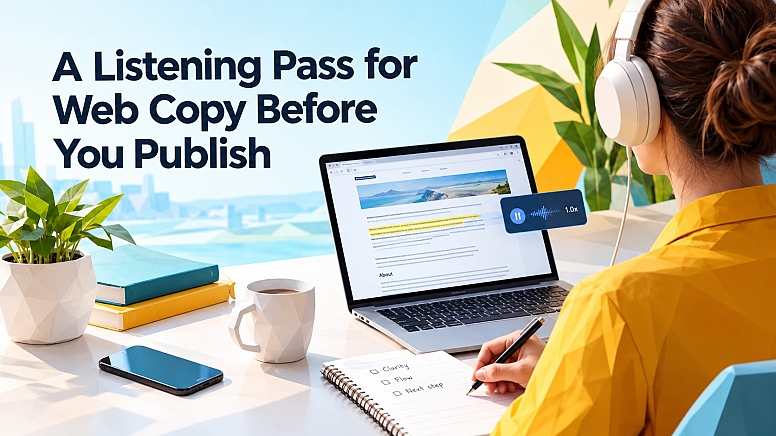
Listening adds a useful second pass to a web team's review. Hearing the words in sequence can make repetition, abrupt transitions, and overloaded sentences more noticeable. The aim is to create a small list of specific edits before publication. It works best alongside the visual review that checks layout, images, buttons, and mobile behavior.
Choose one page and one reader task
Start with a page that has a clear job. A service page might help a visitor decide whether to request a quote. A tutorial might explain how to complete a setup. Write that job in one sentence, then open the version a visitor will actually see. Reviewing an old draft in a document can miss wording introduced in the website's headline, caption, or button.
Keep the scope narrow enough to finish. Listen to the main argument on a service page or one complete section of a long guide. If a page contains several audiences, choose one for this pass. A first-time buyer needs different explanations from an experienced customer looking for a technical detail.
Listen with the source page in view
CastReader's browser extension adds read-aloud playback and synchronized highlighting to supported webpages. Install the appropriate extension, load the page, and start Read Aloud. Check the opening passage against the screen before reviewing the rest. If navigation text, an unrelated panel, or repeated material enters the reading, address that extraction issue before judging the copy.
CastReader reading a NASA article in Chrome, with the original webpage and highlighted text visible.
Use a comfortable speed and keep a separate note beside the page. Record the exact heading or opening words of each problem passage. A note such as 'The paragraph under Delivery repeats the previous guarantee' is easier to act on than 'The middle sounds repetitive.' Pause when needed; getting through the page without stopping is not the objective.
Separate three kinds of editing problems
First, listen for sentence structure. Consider a sentence that introduces a service, lists four features, and ends with an exception about eligibility. The listener has to hold all of those pieces together. Split the central promise from the conditions, then put the details where the reader needs them. Shorter is useful when it makes the relationship clearer, not simply because a sentence has passed an arbitrary word count.
Second, listen for missing connections. A paragraph might describe a problem and then jump directly to a product feature. Add the practical link between them. For example, explain what the feature lets the customer do next, or which recurring step it removes. Avoid inserting a vague claim about efficiency where a concrete explanation would do more work.
Third, check terminology. Make a quick note when the same service is called a plan, package, and membership without explanation. Consistent labels help visitors connect a headline with the pricing section and checkout. Speech pronunciation alone is not proof that a term is wrong, though. Names, abbreviations, and technical identifiers still need visual checking against the source of truth.
Test whether the next step makes sense
After the main explanation, pause and state the intended next step in your own words. If the page asks someone to book a demo, has it explained who the demo is for? If a tutorial says to change a setting, has it identified the relevant screen? A listening pass helps because the order of information becomes harder to ignore.
Return to the page to inspect the links and controls themselves. 'Learn more' may sound harmless but give a visitor little clue about its destination. Check the surrounding context and the actual destination, and make the label more specific where that helps. Also verify prices, units, dates, and product names visually. Audio can help surface unclear wording; it can't confirm those details are accurate.
Make a focused edit and replay it

Group the notes into changes the copy needs and issues the page implementation needs. Rewrite a crowded paragraph in the editor, preview the change through the normal workflow, and listen again to the surrounding section. Replaying only the revised sentence can hide a new transition problem at its boundary. Keep the reviewer on the same version throughout the pass.
CastReader's download page lists the available browser versions, so the team can choose the one that matches its working environment. Begin with an ordinary public page before using it in a client workflow, and follow the organization's rules for unpublished or confidential material. A reading tool does not replace approval to process that material.
Finish with the site's usual checks for layout, keyboard navigation, accessible names, contrast, and responsive behavior. Listening to extracted prose is only one editing technique; it does not certify accessibility or show how every assistive technology will interpret the page. Its useful output is more modest and concrete: clearer wording, a better sequence of ideas, and a page whose next step is easier to understand.






0.3638